
Considering changing N82 fascia/housing? Your own Black N82.
July 9, 2008 at 12:45 pm | In 3rd edition, Accessories, Fakes, Nokia, Nseries, S60 | 22 CommentsTags: Nokia N82 BLACK CHANGE FASCIA HOUSING NSERIES
Changing housing used to be something top Nokia models did in their prime (3310, 7210, 7610) with ease. They were intended to be easily user replaceable with the pay off that you tend to lose some build quality due to the removable parts.
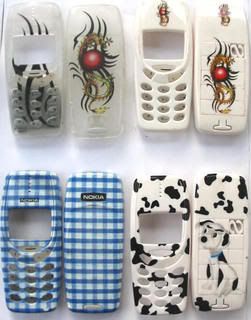
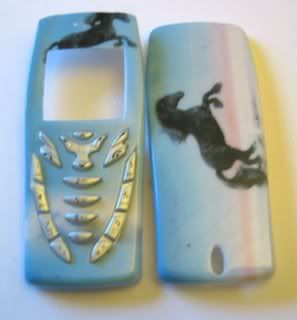
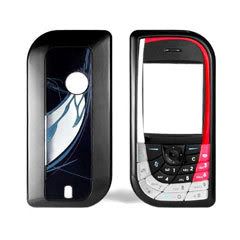
Nseries focused slightly more towards build quality thus dropped the exchangeble fascia scheme. Since they didn’t focus on build quality too much, inevitabley your phone gets scuffed, scratched or worse but unlike the 3310 and the like, you can’t just whip on a fresh new cover.
With the N95 however, it was surprisingly easy, albeit with a tool for the front cover, as the back came off with ease as if it was intended for it. On eBay, you can find a selection of colours from the original available to non standard, such as blue and gold.
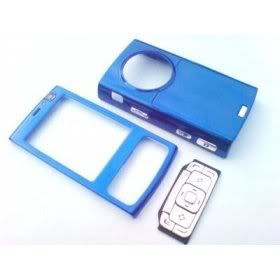
You can also find N82 covers on eBay which could lead you (it did me) to think that it’s similar to the N95 in what is essentially a simple shell of a cover.
NO it isn’t.
To replace the N82 cover yourself, you must prepare yourself for some major surgery. Disassembling is not recommended unless you have done it before as it is very complicated and can easily lead to an N82 looking paper weight.
Here’s a video showing you step by step of dissasembling the N82
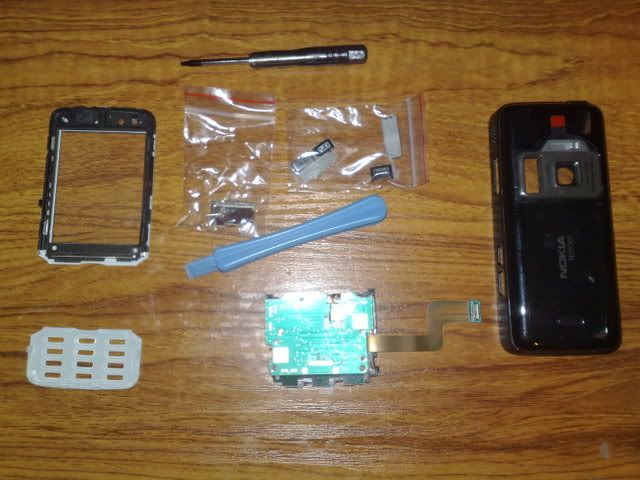
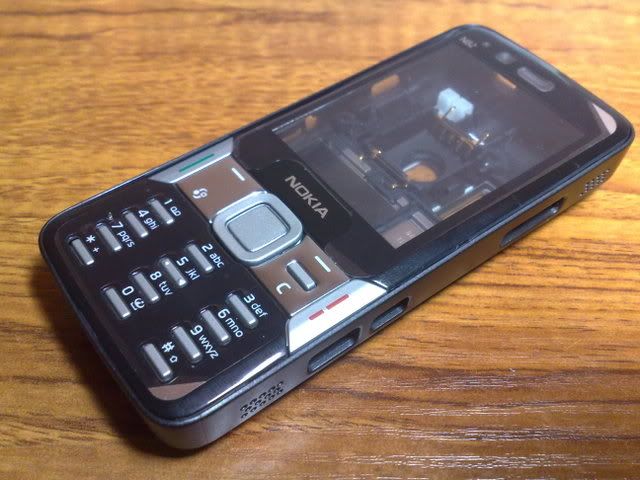
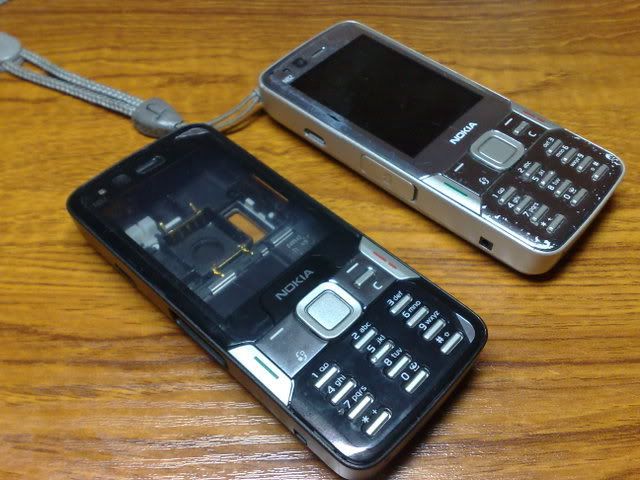
A couple of weeks ago I purchased a black N82 housing set just to see if they’re up to scratch (non OEM from eBay). It arrived this morning. Unless I become significantly bored (and brave), I’m not going to replace the cover myself. But here’s some thoughts and pictures of it.
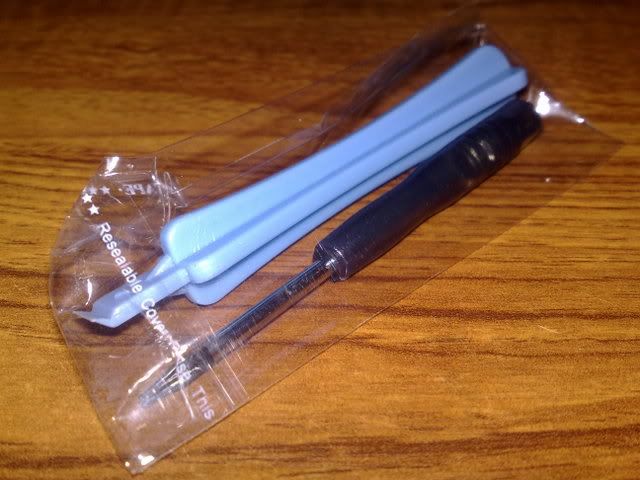
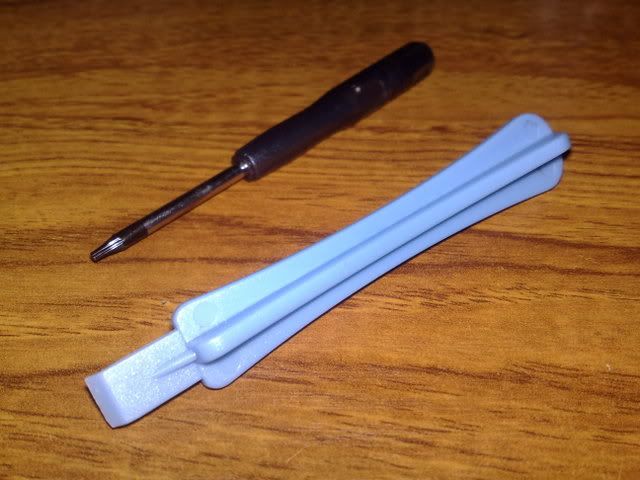
Tools
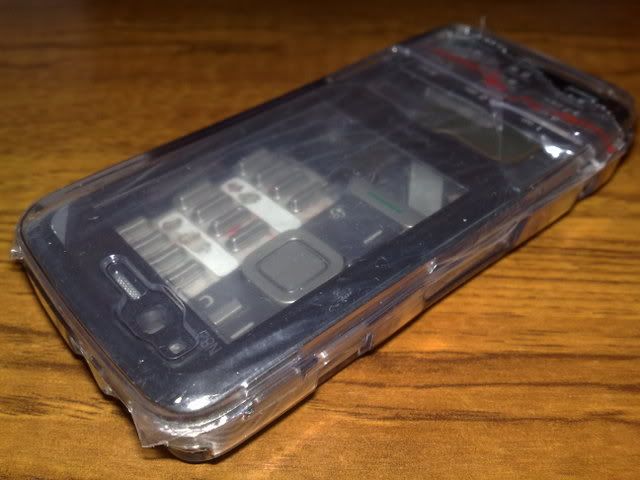
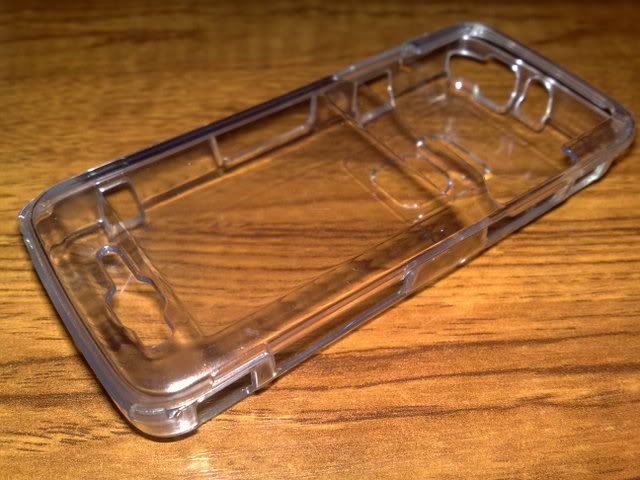
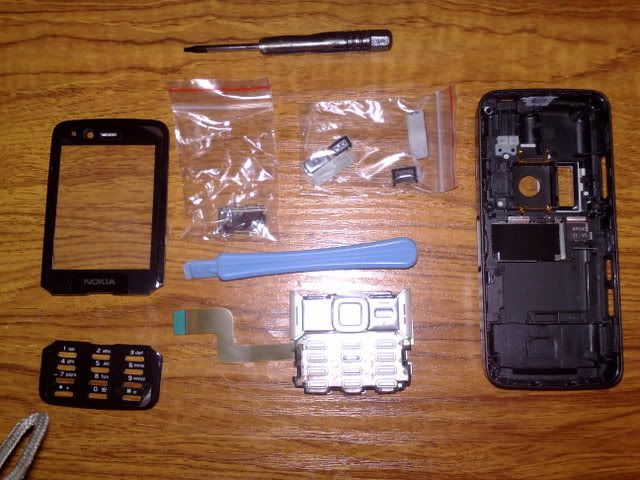
Crystal casing
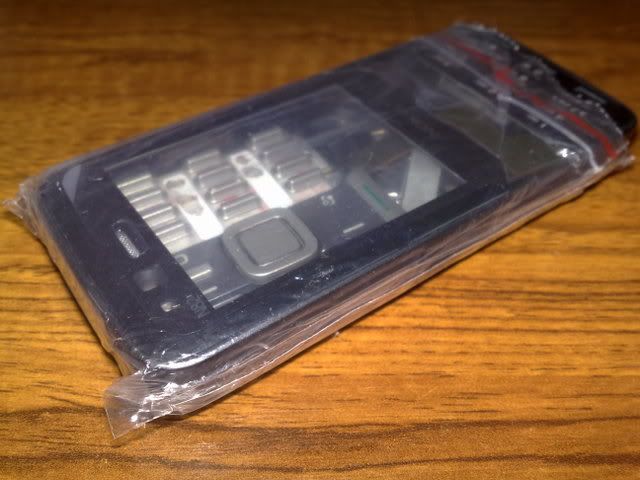
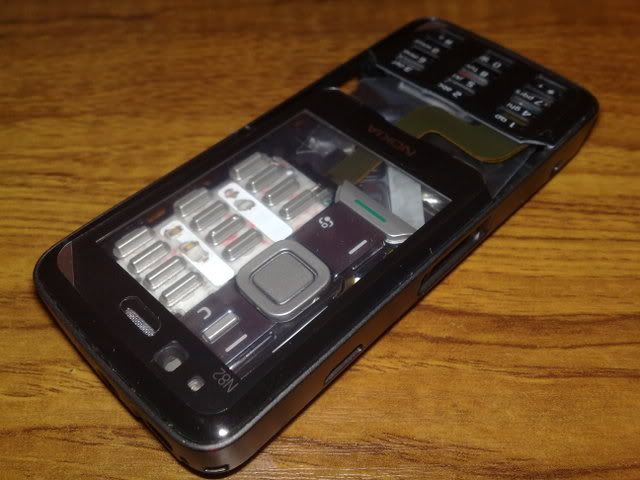
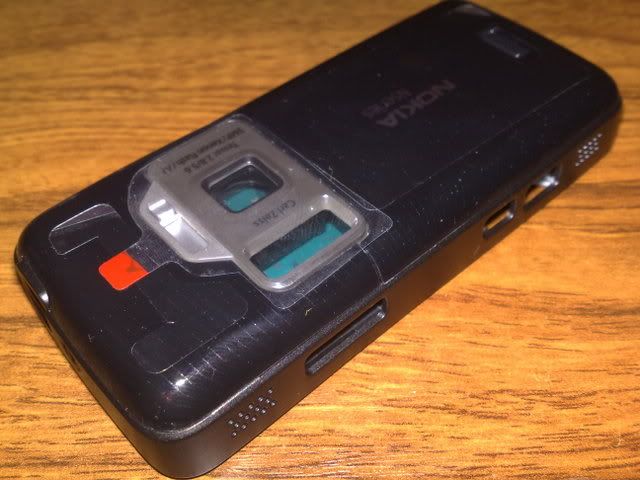
Actual Black N82:
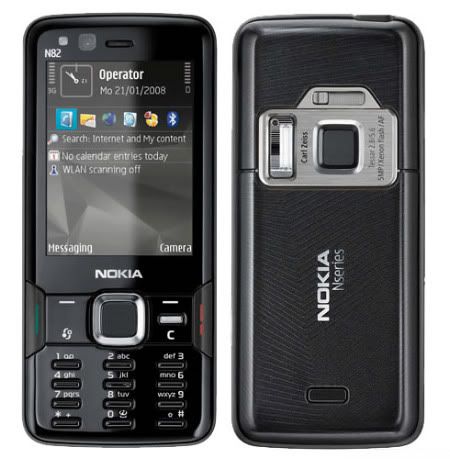
Whilst not as sleek as the completely black N82, it’s a pretty good imitation, not bad for under £10 with P&P. The tools required are provided, with additional extras of the crystal case and an LCD “filter”. Micro SD card door is black as well as the opposing side keys, with just the silver shutter button.
The cover itself feels robust. The finish looking surprisingly good, matte at the sides, glossy at the front, with slightly darker brushed metal effect on the camera. The only error I can detect at the moment (apart from the obviously mismatching front keypad) is the printing of the numbers/letters as they have shifted of a couple of milimetres. The spring assisted lens cover also feels very similar but as with the whole package, only time will tell if it is fit enough for every day and prolonged use.
Please note that changing the cover yourself will void your warranty. Should you be so eager or even require a change in cover, consult a Nokia repair centre who would also provide OEM covers (at a price).
If anyone has changed the housing of their N82, I’d love to see how you got on.
P.S. If like mine, the front is scratched, this can be relatively easily removed and exchanged without touching the internals of the phones. Again, unless you’ve done this kind of thing before, DO NOT ATTEMPT CHANGING THE WHOLE COVER.
Also, the weakest thing in this package is the fake SS-93 tool. As I’ve just found out, the tip breaks easily. Do not use this as you will break your N82.
22 Comments »
RSS feed for comments on this post. TrackBack URI
Leave a comment
Blog at WordPress.com. | Theme: Pool by Borja Fernandez.
Entries and comments feeds.
Hack your symbian in http://www.thephoneclub.es
Comment by webero — July 11, 2008 #
What type of screwdriver is required, T3 or T5?
Comment by Hammer — July 22, 2008 #
[...] Original post by Jay [...]
Pingback by Considering changing N82 fascia/housing? Your own Black N82. | Last For the end — August 2, 2008 #
The video is a great guide, just be very careful with the lcd screen as it is glued to the backing a bit, I already broke one trying to get it out.
Comment by Hammer — August 13, 2008 #
its a t6 thats needed i used a flathead screwdriver to pry open stuff and it worked. can also use credit card. i too broke my lcd.
Comment by nash — August 16, 2008 #
looks great, i love your aticle
cheer,
Nokia News
Comment by ahfock — September 5, 2008 #
Does the camera switch work on your replacement cover?
Also I have a black n82 that has scratches on the camera facia. Do I need to disassemble the entire phone to change the camera facia (i.e. the silver bit with the shutter switch) or can I do it by just taking the back off?
Many Thanks
Comment by supermoocow — September 18, 2008 #
hi i need to buy the n82 full black housing ,but i want to pay using the mastercard not paybal
Comment by mohamed — September 18, 2008 #
[...] 9, 2008 at 12:45 pm | In 3rd edition, Accessories, Fakes, Nokia, Nseries, S60 | 8 Comments Tags: Nokia N82 BLACK CHANGE FASCIA HOUSING [...]
Pingback by My Nokia Mobile - Welcome — October 3, 2008 #
thanks for the info bro, after reading this i think im gonna keep my silver n82.my dad brought a black casing 4 me bt the front keypad is silver n i know its gona look stupid.is there black keypad avaliable too?
Comment by sherafgan — October 24, 2008 #
I just changed full houseing of n82 took me 2 hours as i have never done b4 but works fine
Comment by Mod2000 — November 12, 2008 #
I’d like to replace the front and back covers and keep the middle housing – to keep it simple and not break anything.
I’m just not sure if I can replace the upper back cover (D-Cover as the manual calls it) without taking out the flash, capacitor etc. etc.
Can anyone help me out? TIA!
Comment by Asiak — January 19, 2009 #
thanks alot for this info & vid it’s helped loads!
Asiak you can replace the D-Cover without major surgery,
just pop the clips on the back as shown in vid you don’t have to take anything else apart.
Comment by Richard — January 21, 2009 #
It took me 4 hours to replace my housing, the video was really helpful, as I too had no experience before.
When it came to the display, I was so careful that I ended up spending moren than half an hour (due to the glue at the back) to remove it.
Now there is a problem: The phone doesn’t seem to recognize opening of the camera. I can’t take normal pictures with it. However, if I use the “barcode scanner”, I get clear sight from the main camera. Also, the flash appears to work perfectly well. Anyone any suggestions?
Comment by O-L — January 22, 2009 #
I bought black replacement from eBay for my silver version.
Was easy to replace with video instructions from youtube. The keyboard was not the same as I had. Mine hade a sensor on the central button. I don’t know how it worked but it had an extra cable for it. As I mentioned the new one was simple and didn’t have it. I can also say the new buttons looks cheap, like made at home. When the work was done I was surprised the camera didn’t work, only the front little one. Spent the whole day searching the net for the problem. I could not find any differences in both cases. The new shutter was hard to open and close. That made me nervous. After 12 hours of battle I found the little magnet missing in a new case shutter. I had to place the old shutter in place of new. I don’t know why they made a such good replica without magnet inside.
Now camera works fine but buttons are very bad especially the central one. Can’t press it like before. It always jumps to the side buttons. I would not recommend buying this case, only to replace screen covers. Don’t replace keyboard!
Comment by Dima — February 5, 2009 #
@ Dima
Hi Dima! Can you point where is that magnet can be located? I’m not quite sure where is it located because it isn’t showed in the video. I really need help. I also have the problem you had. If it’s ok, kindly email me @ jmerrea@gmail.com
Thank you so much.
Comment by chickencubes — June 8, 2009 #
Hi, you have just saved me lots of hours on internet. I had the same problem with the camera, so I replaced the crappy switch with no magnet, with the original with magnet (the magnet is color silver, you cannot miss i, everything is black on the back, except for the magnet).
I still cannot get a gps position, though. Anyone with gps problems?.
p.s. I also cracked the screen, had to buy a new one on ebay.
Comment by Pedro — June 12, 2009 #
Hi Pedro! Can u point it to me where it is exactly? Im really confused. Is it inside the back housing? or just at the back outside? Kindly please email me if you have time. chickencubes@mail2cute.com
As for the GPS, just make sure that the GPS antenna is flattened on the case. It should click when successfully placed.
Thank you so much!
Comment by chickencubes — June 13, 2009 #
Dima,
Thanks to your comment, I got a N82 housing change for a customer done
Was going crazy for almost 2 weeks because the problem was that the phone was so battered (LCD smashed, Housing smashed etc), that I did not know whether the camera worked in the first place
Finally found your post and noticed the missing magnet too
Replaced the back and voila, everythings working!
Very impressed with the housing too – though the front lens is not yet on so let’s see if this remains
Thanks again!
Comment by AJ — February 14, 2009 #
Hi, thanks for this page and the link to the dismantling video.
I had the silver n82 and alhough pretty smart i love the look of the black one.
I bought the black housing thru ebay from someone in China.
I looked over the instruction video a couple of times to get my head around it, then set to work.
The instructions are good and easy to follow, so all went very smoothly, until..
As Hammer mentions earlier the LCD screen is glued to the section under it, and as i tried to pry it out i cracked the screen and ruined it!
i bought a replacement screen thru ebay( woo hoo) for about £20.
Once that arrived reassembly was easy again following the instruction vid (but backwards).
i havnt changed the navigation key part because i couldnt work out how to seperate it from the bit its attached to and didnt want to break it and have to wait for more replacement parts!
looks sweet!!
Just one thing, if you follow the instruction video to disassemble, just rememnber you dont have to follow ALL of the steps, because u just want to change the cover, not change internal components.
thanks again
Shaf
Comment by Shaf — February 28, 2009 #
hello ,
i badly need 2 replace n82 front cover..does the joystick include include in the panel or is it supposed to b purchased separately./?b the way wr can i gt the n82 cover.?Pls help.
In case ne 1 noes nethng about it plz mail to karthik.heavenmaster92@gmail.com
karthik.heavenmaster@yahoo.com
Comment by Karthik — April 17, 2009 #
hi, i changed the whole housing, but my camera doesnt work…
it may be camera switch.. i turnes the phone back to its original housing, camera still didnt work…
any help?
thx
Comment by denis — June 9, 2009 #