Video: Behind the new Nokia homescreen – multiple homescreens coming soon?

July 14, 2009 at 5:13 pm | In 5th Edition, Nokia, Nseries, S60, Suggestions, Symbian, Video | Leave a Comment
Tags: , , , , , , , , ,

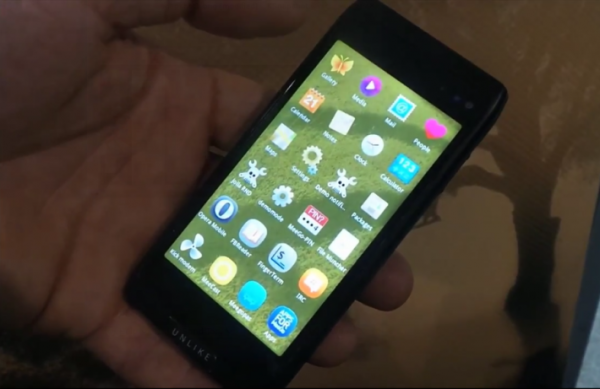
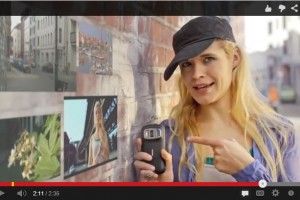
In this video, the Nokia designers explain how the homescreen, as we have seen on the Nokia N97, has come about.

Initially, I wasn’t sold on the subject when I heard about the homescreen – I thought it was like Nokia’s “active standby” just slightly beefed up.

MNB000072

Having used it for over a couple of weeks, I’ve grown attached to it. I’ve got 2 shortcut widgets, giving me access to 8 frequently used apps from the homescreen.That’s good, but what I really love are:

  • email widget – with nokia messaging pushing my emails straight to my phone, I can glance at who it’s from and the subject of the email.
  • gravity widget – the latest tweets from Nokia related contacts
  • facebook widget – latest facebook statuses from my friends/family as well as info on new messages/requests.

Without even having to open up my email/gravity/facebook app, I can glance at the information already on my homescreen…I can either ignore these widgets or if there’s something that interests me, with a tap, they all open up really quickly. These three widgets have kept me more connected to those networks more than I’ve ever used those networks before – and all without being chained to a computer.

MNB000085

Only gripe about email widget is that it doesn't show all the email in the inbox - instead showing email from one particular account. I have several email addresses routed to a single gmail - but the widget doesn't know that and only shows email sent directly to that one account

Multiple Homescreens

It’s a shame though that we’re just stuck with a 5 widget screen and then just a blank one.

Sometimes, I want to have the music player widget on there, so I can pause/skip tracks without going through the player app, but to do that, I’d have to swap a widget around – and the five I’ve previously configured are the most convenient for me 90% of the time. It’s not just music widgets, there’s others I’d love to have quick access to, depending on the situation/location I’m in.

It would be great if we had multiple homescreens giving immediate access to preconfigured combination of widgets. Perhaps, 3 homescreens accessible by horizontal swiping. e.g. from the main/middle homescreen:

  • a swipe left could change the layout to a work oriented homescreen – emails/stocks/news/calendar
  • a swipe right could change the layout to a “home” homescreen – music player/facebook/bbc iPlayer
  • for a blank homescreen, you could have vertical (up/downward) swipe – or being greedy – just have the upward swipe for blank homescreen and have a downward swipe for the classic/5800 style homescreen?

Another touch of laziness/convenience I seem to have already written about in a previous post:

Also, what if these multiple homescreens were to change for different locations, as determined by the GPS. This would be great as you don’t even have to remember that “Oh I’m in work, I need to have these sorts of widgets to tell me about X and Y”, once you set a few locations, the phone remembers where you are and changes settings accordingly.

We may see such multiple homescreens soon on the Nokia N97. At around 01:55 of the video, Lee Cooper asks, what next? To which we’re told “one idea is multiple homescreens…you might have one for work, one for home and one for the gym”. Fingers crossed it comes to the August firmware update (as well as bug fixes!).

via Nokia Conversations

Video: The Nokia N86 has ‘real’/usable digital zoom!

July 13, 2009 at 8:26 pm | In 3rd edition, Nokia, Nseries, S60, Video | 2 Comments
Tags: , , , , , ,

Digital zoom – probably the first thing you ever hear when you first start using any sort of digital camera is NOT to use it. Take the photo/video and crop it when you get the file to your computer.

Now this is still true for photos. The only thing the digital zoom is good at is readjusting the light within your zoomed window, i.e. if you zoom in on a bright light, the camera adjusts so instead of being a wash of light, you can make out some detail.

Other than that though, especially in video, you shouldn’t really bother at all with digital zoom as you just loose out on detail. (If you just want to quickly upload/share something – then go ahead and use the digital zoom)

Steve Litchfield shares an interesting find from the Nokia N86 (stumbling upon this gem from here) – it has somewhat of a usable digital zoom. Instead of being limited to expanding VGA pixels, resulting in horrendously blurry videos, the N86 apparently uses the whole sensor which maintains more of the details within the VGA video when you use the digital zoom.

It’s no optical zoom – but it’s a really good start. I’d like to see comparisons with an N93 to see how well this new digital zoom compares to Nokia’s optical zoom. On the flip side of this exciting discovery, James Burland’s comment points out yet another Nokia flaw. Apple would have this feature in your face right about now.

This video makes me extremely depressed. If Nokia could not see a way to market this feature, or even just tell bloggers about it then there is something serious amiss with their marketing department.

What a wonderful feature! A killer feature in fact. Nokia you need to make some noise about this. Seriously.

Usable digital zoom aside, there’s something obscenely annoying about the video and that’s the jerkiness of the zoom.

Other rooms for improvement include autofocus during video perhaps? Anyone remember when the N93i was shown to have autofocus during video but then it got removed? The barcode reader app had somewhat of continuous autofocusing…

Video Advert: Introduction to the Nokia N97

July 13, 2009 at 1:02 pm | In 5th Edition, Nokia, Nseries, S60, Symbian, Video | 3 Comments
Tags: , , , , , , , ,

The Nokia N97 looks absolutely stunning in the first 30 seconds of this video. It’s a new advert to showcase some of the major features of the N97.

  • Homescreen
  • Facebook
  • Full Web Browsing
  • Ovi Store
  • Navigation with Ovi Maps
  • Camera capabilities with Carl Zeiss Optics
  • Uploading to Ovi Store
  • Enjoying Video and TV
  • Email
  • Buying music on the go

I love how it opened up by itself at 00:24. Maybe if Nokia continues with this form factor, they could work out a way for the keyboard to pop up with a button press or a switch?

See how good the viewfinder looks when you can use the entire screen (01:44)? Now will we ever get widescreen photos?

And oh – video and TV: Loving BBC iPlayer – but when will we get support for DivX so we can use our N97’s as portable movie players too? DivX player works, but it’s not optimised for 5th Edition S60 so videos are choppy.

How to: Calibrating the Nokia N97’s compass in 3 seconds.

July 12, 2009 at 9:51 pm | In 5th Edition, How to:, Nokia, Nseries, S60, Symbian, Video | 2 Comments
Tags: , , , , , , , , , ,

The Nokia N97 has a compass mainly for rotating your maps to align with the roads/surroundings as you turn your phone. It doesn’t rotate instantly towards north like a real compass – and so, needs a bit of calibration, which according to the manual, the method is to swing your phone in an 8-shape like an idiot. If you wait a bit, it does come on by itself.

Norman John from SymbianWorld has found out an even better solution – 3 or 4 sharp downward swipes and the compass is calibrated. Tried a few times and it works. Note, the compass only works if the map is centred on your position and you’re zoomed in enough. In Ovi Maps 3.0, to centre on your position, just swipe the map so you can’t see your position (red dot), then press the red dot that appears on the top right.

If you’re using this for pedestrian navigation, you will look less odd, appearing as if you’re just frustrated with your phone instead of twirling it like you were part of a baton parade. Now, in reality, we shouldn’t really have to do any of this.

In google maps, there’s an arrow which always points in the direction you’re going. What if the map just oriented itself based on the last linear movement. Though it would only work if you held the phone in the direction you were heading (none of that fancy twiddling the phone in circles and watching your map rotate) – but it’s calibration free and would work as fast as getting the gps lock.

From SymbianWorld vis thenokian97

Freeware: UK Rail – Train Timetables for your Nokia N97, 5800, Samsung i8910 and other S60 5th Edition Phone

July 12, 2009 at 8:47 pm | In 5th Edition, Applications, Freeware, Nokia, Nseries, S60, Symbian | 1 Comment
Tags: , , , , , , , , , , , , ,

This application is a must have for anyone who travels frequently (or at all) on a train. Whenever I needed to travel by train, I used to go to www.thetrainline.com. You can access it from your S60 browser directly or you can choose the mobile version, m.thetrainline.com, which is more economic on the data and a little easier to use (though needing lots of page clicks).

This free application from S60dev.com goes one step further in making it easier to find your train times. No more loading up the browser and tapping in the bookmark or clicking through page after page.

MNB000081

Just type your details in, connect to your data…

MNB000082

And you get a list of available trains.

MNB000083

It’s currently only works in portrait mode. At least it doesn’t attempt to rotate and distort the page when you open the keyboard on the N97.

The only niggle would be inputting the date – it’s not hard but if it used the same style for putting the time in, that would be fantastic.

Other than that it’s a really great application and you should go get it now! >>Download from S60 Dev << It’s a free application, but I’m sure donations are more than welcome.

Some suggestions: -

  • History/Save search result – so you don’t have to input your details again if you just wanted to check again
  • Return option  – so you don’t have to input the opposite details

Via S60Dev

Two thumb typing on the Nokia N97 (or lack of)

July 12, 2009 at 8:45 pm | In 5th Edition, Nokia, Nseries, Rant, S60, Symbian, Video | Leave a Comment
Tags: , , , , , , , , , , ,

The Nokia N97, if you take the time to get accustomed to it, has a pretty decent physical QWERTY keyboard. However, there are times that I need to use the onscreen alphanumeric keypad, like when I’ve only got one free hand or if I simply just want to text with the phone closed.

The latter of “two handed T9″ I cannot do because the screen keyboard only registers single keypresses. If you have your finger on one key, it locks out all the others.

This means I cannot type as fast in T9 mode with two hands on the N97 as I can with a traditional physical keypad. This is an issue already raised by 5800 users. But it’s not like the screen itself cannot register multiple keypresses. A video a while back of an app on the 5800 shows what appears to be “multitouch”.

It’s no iPhone, but it’s a start.

I can’t find the download link for that game, but you can sort of try it out “multiple-touch” for yourself – go to the menu and a grid full of apps. With one thumb at one corner and another at the opposite end, you’ll see that the screen registers both keypresses. Depending on the ‘pressure’, you can also control which icon is highlighted (see video below).

it’s not multitouch, I’m just wondering if there could be a workaround, like in the first video, to somehow get multiple keypresses registered onto the on screen keypad? Or is that just not possible and the most we’d ever get is selecting the key inbetween the intitial two key presses? (AAS’ Steve Litchfield has already proposed such for the 5800’s QWERTY).

I don’t really know how it works or the limitations imposed – perhaps at least for the N97 it’s in Nokia’s best interest to keep two handed use for the QWERTY and one handed for T9.

What I do know is what I want, and that’s for the next flagship touchscreen device from Nokia to have native support for multitouch and finger gestures.

Also worth noting is the video (from this same post) with versatile multitouch on a resistive screen – until they get to the same feather pressure sensitivity as capacitive, Nokia really needs to switch to capacitive.

Photos: Nights out with the Nokia N97 (with Nokia N82 comparison samples)

July 10, 2009 at 11:51 pm | In 5th Edition, Nokia, Nseries, Photos, S60, Symbian, Test | 1 Comment
Tags: , , , , , , , , , ,

YesteRday was my friends’ graduation. I knew that if I wanted some decent photos of the evening, I’d need to bring a proper camera (with real xenon flash) as dual LED has never cut it on previous occasions in really low light with the Nokia N97. Whilst not a dedicated point and shoot, I brought the N82 which was damn good enough to light up those moments which the N97 could not.

Unfortunately, not that many pictures from last night are going to make it on this post as I wasn’t really paying attention to making photo tests (they aren’t appropriate for a public blog – ha they’d kill me if I put some of these pictures up), but there are some from a different night. As expected in both occasions, the N82 was the downright winner – freezing every single shot, lighting up the scene in vivid bright colours, whereas the N97 just produced murky, often blurred pictures.

Note these two pictures below. (Big thanks to the random guy who took the photo – they were taken about 5 minutes in between each other as he didn’t know how to work either phones).

Nokia N97 (below) V11 firmware

20090709356

Nokia N82

200907096410

Nights out make up a significant bulk of my albums on facebook (as well as my friends’ albums). It’s the most convenient place for me to share my photos with the people that matter to me. The Nokia N82 has been a trooper in bringing back some quality pictures of the night before, to the point that I’ve rarely had to bring a separate camera (of which was brought out only when I forgot to charge the N82).

I love that I the N82’s camera with xenon flash is sufficiently good enough that I don’t have to bring out a phone AND a camera when I’m going out. It means less bulky pockets and more importantly, less of a chance that I’ll lose/drop/break, particularly as the alcohol consumption goes up and the concentration goes rapidly down. (And even so, the N82 has dealt with the drops, scrapes, scratches and even being dunked in Guiness remarkably. The only thing that’s hampered it is debranding to get the v31 firmware – a lesson I’ve learned NEVER to do again)20090709362_2

Bleak and murky, by N97

It’s annoying to think that I can’t have the same reliance for low-lit-people shots with the N97. Yeah, it’ll capture it, but never how it could have been, had Nokia included Xenon Flash.

It’s a shame particularly with the integration of facebook on the N97, and even being called the facebook phone, you’d think it’s the perfect marriage for the whole “connecting people” theme.

I know that not everyone’s pictures consist predominantly of indoor/nights out. In fact, with the summer, proportions of outdoor sunny holiday snaps are increasing (at least that’s how it’s appearning on my FB news feeds).

My perceptions maybe skewed as a (UK) student, but whenever people congregate and photos are being taken, that’s often almost always taken indoors where the lighting isn’t always the best it could be. The only N97 shot of the night out I was happy with was the macro below.

20090709342_2

N97 – macro – low light – flash on

These are though the harshest of lighting conditions. The N97 does perform alright when there’s sufficient lighting. Here’s an indoor shot taken earlier on in the evening during a meal at Harvester. There was still some sunlight poking through the windows.

20090709334_2

I was actually surprised when I checked that this had actually come from the N97 as shot by the N82 came out blurry (though this maybe a focusing error on my part and not the phone)

200907096401

N82 – focus got locked to the white shirts at the back.

Here’s a set of comparisons of the N97 (firmware V10) against the N82 when I went to see my mate’s band at Barfly. Sometimes, when the N97’s flash is turned off (and there’s already some illumination in the scene), the colours look more natural than with the N82 with the xenon flash on. But head to head, xenon always wins against dual led. Note that the N97 shot is (at least I think it is) the first of each pair.

29062009195

200906296369

29062009198

200906296370

29062009202

200906296373

29062009205

200906296381

29062009206

200906296377

29062009208

200906296379

29062009212

200906296382

29062009216

200906296385

29062009218

200906296387

In terms of photos, and people in low light, and flash on, the Nokia N82 wins hands down. I haven’t tested the Nokia N86, the supposed imaging flagship by Nokia, but I’m hazarding an informed guess (based on early low light review sample) that even with the N86’s improved dual LED and better sensor, the N82 simply with xenon will still win the very low light/people test.

The only use I have for the dual LED is in the torch application (and I actually find this genuinely really useful). It doesn’t help that much in video, unless you set night mode on. This lights up the scene considerably, although frame rate is reduced and the video becomes very jerky.

Another area the N82 wins at is transferring pictures to the computer.

N82 >

  1. Gallery button >
  2. Hold “#” >
  3. press left on the dpad, quickly selecting several photos/videos at once >
  4. - send via bluetooth

N97 >

  1. Homescreen/menu >
  2. Photos >
  3. Captured>
  4. tick icon >
  5. tap tap tap …or drag finger across screen
  6. send via bluetooth

For my criteria of low light/people shots, the Nokia N97 doesn’t cut it. But is that enough reason not to get it? Unless all you’re looking to get is a clubbing phone that upgrades on the N82, the answer is NO . There are still plenty of reasons to choose the N97.

I’ve grown really attached to the homescreen and live information from my social networks and email. The keyboard, though not the best, I’ve also grown slightly accustomed to – maybe more due to the actual laptop looking/slide out form factor than actual usability of the keyboard itself.

For a lot of other users, as aforementioned, good performance in low light isn’t important at all. The camera is quite decent in better lighting conditions, and certainly performs better than most other smartphones, some of which don’t even have a flash (*cough*iPhone).

- This post is way too long now, I’m way too tired, wanted to talk about the Sony Ericsson Satio a bit, but I’m going straight to bed now.

___________________

There were videos taken from the gig too, but I’ll upload those another time. I’m too knackered right now. Verdict was surprising on the video as on a previous initial test, the N82 won on low light video, but it wasn’t so clear cut this time. When set at the right angle, the N97 handles contrasts between low light and bright stage lights better, producing more natural colours, whereas the N82 continually provides well lit video, no matter where it’s pointed, although this does mean the videos appear bleached with light. e.g. The N97 could pick out the writing on the shirts – but the background is blacked out. On  the N82 just shows the shirts as plain white but you can still watch the background.

In sufficient lighting – the video is very good. It does seem less jerky than the N82, although the far focus is annoying when filming people.

Video: The Phones Show – Episode 85 – James Burland on the iPhone 3GS (and Nokia Rant)

July 9, 2009 at 11:32 am | In Nokia, Nseries, Rant, Video, aPPLE | 2 Comments
Tags: , , , , , , , , ,

Episode 85 of the Phones Show focuses on the new iPhone 3GS, with James Burland of NokiaCreative giving us a tour of its new features.

But before that, Steve also briefly takes a look at:

  • HTC Hero – Android Smartphone which interestingly has full adobe flash
  • New Firmware updates of recent Nokia phones, notably N97, N96 and E71
  • Ovi Maps 3.0

The star of the show is Apple’s iPhone 3GS.  I am really overwhelmed at what Apple’s been able to do with the iPhone. It is extremely impressive on the visuals and execution of these new features. Something as simple as being able to switch between video and photo at a single tap.  Nokia – why did you take that out of the N97/5800? Though it wasn’t the best interface with S60 3rd edition, at least with initial start up of the camera, the first option within one click is to switch between photo/video. Ideally though, it would be a hardware switch – so that you can immediately start in the prefered mode without having to wait to switch.

At times when my friends ask me about Nokia things and I get a little rant started, my only excuse for those shortcomings is to suggest some sort of saboteur at the helm ofcontrols, slowly passing off undoubtedly crap decisions as something good for Nokia. The blogosphere is screaming to Nokia what they should be doing. Their suggestions aren’t risky fantasies as you see those suggestions for Nokia becoming standard features amongst its competitors.

However, Steve is quick to point out (and cool my 3GS amazement) that:

  1. “there are still no background third party applications. So that means waiting for each game to start up again after each interruption. Though the extra speed does indeed help here. Also this means no background streaming radio and no background social media applications keeping track of your life.
  2. iPhone’s safari still has no Flash
  3. iPhone’s camera still doesn’t have LED flash
  4. Battery life still rather poor
  5. No user accessible file system.

All Nokia fans can do now is wait in hope that Nokia have something brilliant up their sleeves; that it’s taking them so long to put out because it will be truly mind blowing, something overwhelmingly unexpected, bringing a new breed of device(s) that symbolize Nokia’s worthiness in being the number 1 phone manufacturer in the world. Ultimate hardware, advanced yet user friendly software and streamlined services – from Nokia? Or will it forever be just a dream?

In the mean time, we’ll get these interim(a.k.a. half-assed) solutions to keep interests in Nokia devices and services (though at the same time frustrating them, tarnishing the Nokia reputation with the confusingly poor compromises being taken).

Via 3lib

WordPress mobile blogging on the Nokia N97. Bad for Nokia blogging, great for diary blogging.

July 8, 2009 at 8:42 am | In 5th Edition, Nokia, Nseries, S60, Symbian | 3 Comments
Tags: , , , , ,

Note: this is actually written entirely on a Nokia N97 using wordpress and GSM data. Thank God for wordpress’ auto save function as a few mispressed links took me away from the page (pressing back leads you to a blank post).

If you can read this, then the title of the title is misleading, right?  Well not really. For my Nokia blogging, I’m refering to the type of blogging that needs some slight formatting, inserting relevant links here and there, moving text around, copying excerpts…the usual stuff.

Not that the N97 was designed for wordpress, but it would have been nice if it worked properly. The following are either issues with the Nokia N97 browser in general or with wordpress.

MNB000053

The image above is a screenshot of a youtube video I wanted to write about: the series of physically demanding/damaging tests the new Rugged phone from Nokia is being put under. However, I couldn’t do that because:

  • You can’t select text. No selecting text for mass delete or to move around. No selecting URL or highlighting words to insert url
  • You can’t copy text (thus no pasting ). Even if I could highlight text, since there’s no copy function, I couldn’t insert url unless I typed it manually.
  • Other issues:

  • You can’t press enter to start a new line (though if you set editing to html instead of visual, you can.)
  • THE KEYBOARD BEING STUCK IN CAPS LOCK THE MOMENT YOU SET IT ON. UNLESS I HOLD THE SHIFT BUTTON OR go back to editing in html mode, everything is written in capital letters. There should be an indication icon/light somewhere when caps lock is on.
  • Multiple browsing is solved by installing another browser, such as Opera, or better yet, just open up a new browser window from another app. E.g gravity. That way I can read about one story in one window and talk/write about in another. However, with RAM limitations, this may not always be a good option as the browser may spontaneously close.

The lack of copy and pasting is my biggest gripe as it prevents me from linking to other news/articles/youtube videos. I always try to make it a point to link back to the original article and unless I found the story myself, also link to the site that directed me to the story in the first place. Manually typing a link is NOT a reasonable option.

However, it’s not all bad. Despite formatting limitations, if your blog style is more like a diary of thoughts then it should be fine. You can even upload and insert pictures from the N97 too.

That should be ok for my other blog which is basically just a diary of thoughts about a project in Uni. Lengthy text entry isn’t too much of a bother either now that I’ve gotten used to the keyboard. Now that I think about it, for my Uni project, the N97 may serve me well as an instant event blog/diary tool. One of the reasons I haven’t kept up that blog is I forget to write about it as soon as I get home. Now maybe I can write about it whilst/straight after our workshops/meetings.

It’s a slight shame that my N800 from 2007 (and most likely an even older N770) runs rings around the N97’s browser. If only Nokia would always stay at the levels they achieve instead of sometimes having these step-backs *cough*xenon*. The only niggle with the internet tablets is that they cannot make data connections on their own (needs phone modem or wifi), otherwise they would have been perfect for mobile blogging. Perhaps that rumoured N900 will be the ultimate Nokia internet device. Real desktop internet experience, wherever, whenever (cue Shakira hips).

I’m gonna get out of bed now and get some breakfast.

.
.
.
.
.

.

Review: Mobileburn’s Monster Review of the Nokia N97

July 7, 2009 at 9:41 pm | In 5th Edition, Nokia, Nseries, S60, Symbian, Video | 1 Comment
Tags: , , , , , , , , , , ,

This is one of the Nokia N97 reviews I have been waiting for, and it was a nice surprise to see Ricky Cadden, the Guru, take the helm of such a major handset review.

nokia_n97_nokia_n97IMG_5604

Transition black looking stunning with this charcoal grey and gun metal rim combination.

Spanning 8 pages, the review is extremely in depth, covering the following topics, as typical of MobileBurn:

  • Physical Aspects
  • Core Functions
  • Multimedia/Applications
  • User Interface
  • Conclusion
  • 3 gallery pages.

nokia_n97_nokia_n97IMG_5615

To sum it up – excellent build quality, great multimedia, let down by lack of RAM and unstable firmware. I’d discuss it more in depth but I don’t want to get into another full blown Nokia rant tonight. Check out the review, Ricky pretty much covers all that needs to be said.

Via MobileBurn

_____

Oh…can’t hold it in:

Grrr at:

  • the slow loading of content to the 32GB via cable. Much prefered the memory card+reader route. Files load in seconds. There’s a memory card slot, but it’s hidden from you under the battery cover. What a pain!
  • Slow starting camera that performs really bad in low light
  • No N-gage support yet

…Ok…ok…I’ll stop there. I realise I am getting too overly critical without showing too much love for Nokia. >_< It’s just that I really want to see them improve and stay ahead of the game – reinforcing awareness of faults that users have experienced will hopefully somehow trickle down to someone who can sort these issues out.

Next Page »

Blog at WordPress.com. | Theme: Pool by Borja Fernandez.
Entries and comments feeds.