
Video: Cool Custom "Bubble" UI for MeeGo on NoteBook/Tablet Lenovo IdeaPad and Nokia N900
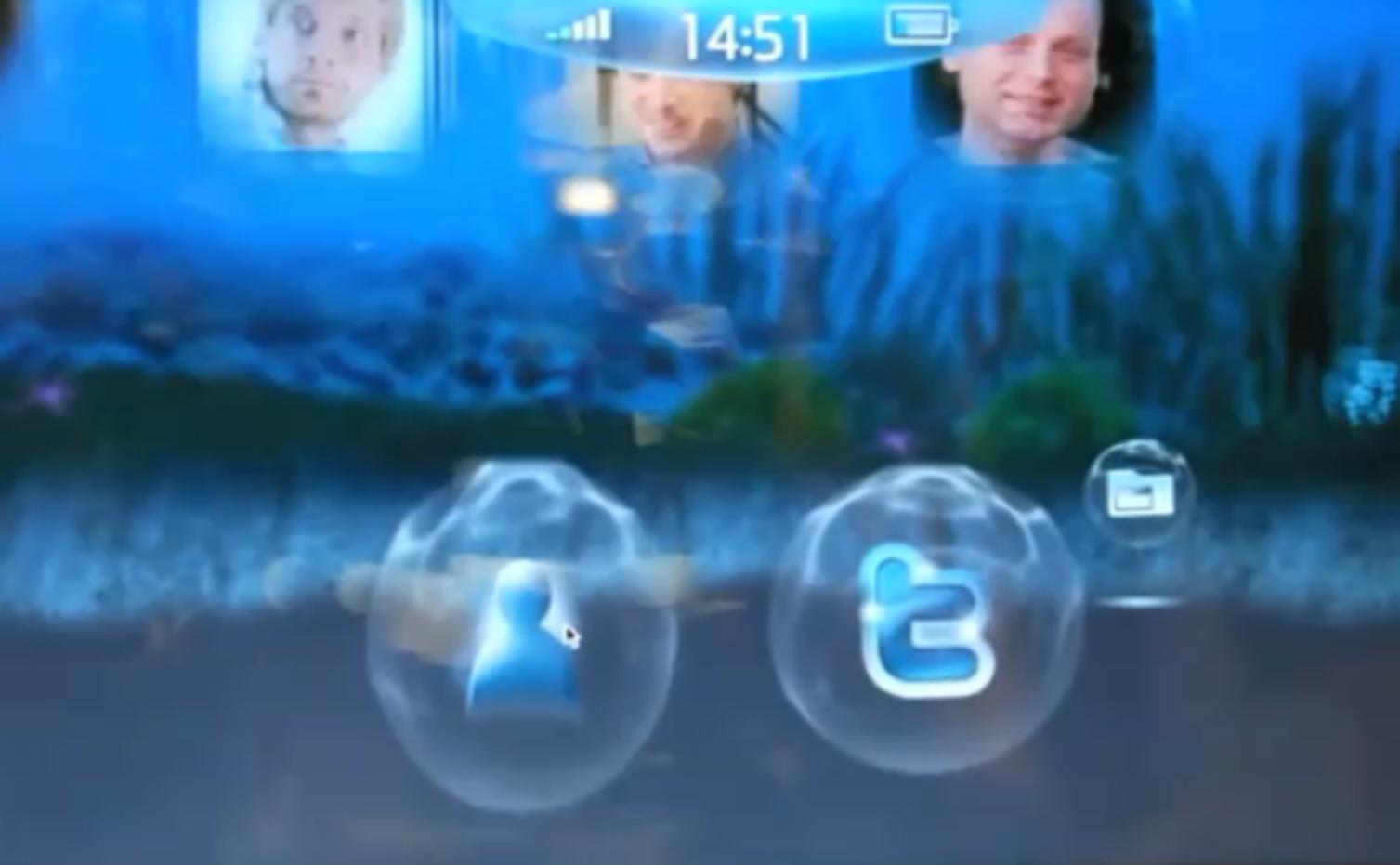 This is a wonderful UI paradigm by Digia and quite innovative. In this underwater theme, you have these set of 3D bubbles that we’d otherwise associate with icons. And hey – the circle icon surround actually works in this concept (as opposed to the now over used squircle). These icons populate the screen with yet more contextual bubbles when touched, e.g. hit contact bubble and get more contacts. These bubbles live on a 3D panoramic seabed. Though you are swiping left to right, it seems as though you’re not simply moving horizontally but rotating about a fixed point (which is a nice change). These Bubbles can also then be moved behind (looking smaller) or towards the foreground.
This cool custom UI is demonstrated on the Lenovo IdeaPad S10-3t Netbook/Tablet hybrid and the Nokia N900. It’s great seeing this work on the big screen as well as the smaller mobile display. The N900 looks less responsive to touch though that might be due to to the IdeaPads feather touch capacitive and the pressure touch resistive on N900 (as often seen, resistive screens are also responsive it’s just that folk apply the same pressure as capacitive and thus such input is not registered).
What’s cooler still is that Digia claim it took one developer just one month to create this and shows the fast software development cycle and ease of use that attracted them to MeeGo.
[youtube=http://www.youtube.com/watch?v=XWawBt8cXVU]
About Digia (from Wikipedia)
Digia Plc (formerly SYSOPENDIGIA) is a Finnish software company quoted on the Helsinki Stock Exchange, and is listed on NASDAQ OMX Helsinki (DIG1V). Digia’s main business areas are enterprise systems and mobile applications. The company has about 1 500 employees in Finland, Sweden, Russia and China.
The company is headquartered (Digia Tower) is located in Helsinki Pitäjänmäki.
Digia Plc’s head office in Helsinki, Finland.
SysOpen founded in 1990. It grew rapidly through acquisitions in the millennium in what way. SysOpen Corporation and was founded in 1997 Digia Oy merged 4 March 2005 SYSOPENDIGIA Plc. In summer 2006, SYSOPENDIGIA Corporation acquired the integration and production control software for manufacturing Sentera Plc n. Sentera’s business was merged into SysOpen Digia in the autumn of 2006. 26. March 2007, the company name was changed to SYSOPENDIGIA Plc. The company changed its name to Digiaksi 17.3.2008.
Digia has a history with Nokia, developing Symbian and Maemo Browsers as well as Qt Based cross platform Future UIs. One of the strong things emphasised from Qt Quick is the focus now on just how the UI should look like rather than how to get it done (allowing designers to be part of the development process) creating the concepts with the help of the developer.

About the Author (Author Profile)
Hey, thanks for reading my post. My name is Jay and I'm a medical student at the University of Manchester. When I can, I blog here at mynokiablog.com and tweet now and again @jaymontano. We also have a twitter and facebook accounts @mynokiablog and  Facebook.com/mynokiablog. Check out the tips, guides and rules for commenting >>click<< Contact us at tips(@)mynokiablog.com or email me directly on jay[at]mynokiablog.comSubscribe
If you enjoyed this article, subscribe to receive more just like it.


Connect
Connect with us on the following social media platforms.