
Nokia N8 mini Software update: Quick search update (+ Nokia Big Screen Update from Nokia Beta Labs)
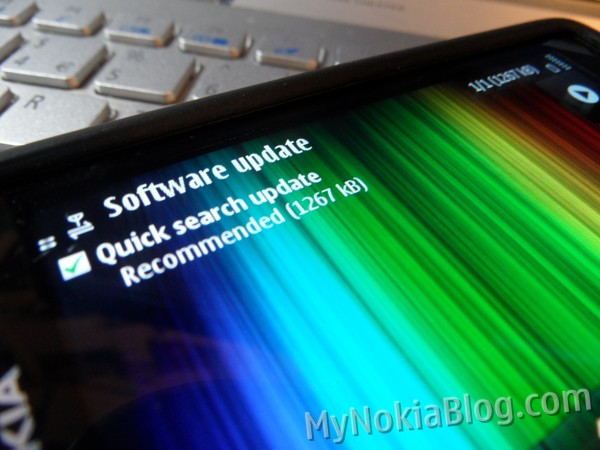
Hey All, Adam has tipped us that a new software update is available for the Nokia N8 called “Quick search update”.
Go to the little software update app on the phone and it will automatically refresh itself and inform you of an update. RoadXY tips us from dailymobile.se and says:
This new update has a number of new options for the search widget like suggestions based on your search history and quicker access to your favorite search engines.
Toughether with a number of other update’s make’s this everything even simpler to organise your call’s and to send photo’s with your phone.
Fahoum has a tipped that the Nokia Big Screen has received an update too. This is separate from Nokia Beta Labs.
- Support for NOKIA E7
- Added support for PS3 BD remote controller
- Added support for Madcatz and Nyko WiiMotes remote controllers
- Improved first time use with device side help
- Greatly improved photos performance with faster full screen image and better quality
- Enhanced graphics and performance improvements all around the application
- Image rotating
- Content on TV always shown in full screen (no black borders – no underscan)
- Added support for external album artshttp://betalabs.nokia.com/apps/nokia-big-screen/download_and_installation


That changelog is from new Nokia Big Screen.
Oh I’m so stupid, I thought they were tipping about the same thing. I’ll do an edit now.
I was wondering why the updates for controller and rotation seemed for Big Screen like. ha. Cheers.
Got bing the default search app now?
lol no. Just an option.
thnx adam and jay,
, will try to look for what actually has changed
updating my quick search
Hi,
N8 PR1.0
I can only find this:
“Apps updates 1.0″ (659 kb)
Weird, I seem to get this update few weeks ago. Does anyone have this in the Software update too?
No Qucik Search update. No Big screen installed too.
for the “big screen” update you have to go to betalabs.nokia.com to get it.
How about the quick search update?
Yeah, I got it too today. Still waiting for the Pr1.1 update.
No idea what this small update does.
How can this happen?? my mom’s C6-01 PR1.1 got it! But my N8 still don’t get it! =(
Quick search is via Software update on the phone…
Finally, no more confirming your text and only then begin able to tap search Google/My Content. Good improvement.
http://tieba.baidu.com/f?kz=1008671616
The 50th floor on Page2 leaked the new Symbian homescreen UI???
http://hiphotos.baidu.com/dying_heart/pic/item/16ddda2aa77bb9c8023bf6f7.jpg
:O looks good ! :O
very nice
the only problem with BigScreen is .. it doesn’t support AV cable
You mean this picture?
http://hiphotos.baidu.com/dying_heart/pic/item/16ddda2aa77bb9c8023bf6f7.jpg
http://hiphotos.baidu.com/dying_heart/pic/item/3f03d9ca04ec8615f31fe70f.jpg
It means this is the future UI for Symbian since you can see the same tool bars on both pictures
http://imgsrc.baidu.com/forum/pic/item/838ad2caacdeeb14f21fe786.jpg
New BigScreen is great.
I have Album Art for almost all the music on my N8 and now BigScreen displays it all automatically! Cool!
So I have to ask why on earth can’t the standard music player show my album art? More lazy and poor programming by Nokia.
It would be great to get a tiny bluetooth remote control to control big screen, something very small and simple a bit like the little remote control that comes with some apple computers.
What are you on about? The standard music player on my N8 has automatically found and displayed my album art, in various formats, since I got it a few months ago! And the standard music player is excellent programming, especially the cover flow art work browser, much better than Apple’s!
Well it doesn’t display any of mine that I’ve ripped. I have album art just a file “AlbumArt.jpg” in each folder (and every album in its own folder) and this does not work.
I tried transferring albums just by copying in Mass Storage Mode, by transferring with Ovi Suite and with Windows Media Player and none of these makes my album art appear.
I have Album Art for a couple of albums only – which are albums I’ve bought from Amazon MP3 instead of ripping myself. This is because these have the AlbumArt saved individually on every track as part of the ID3 data.
You answered your own question. The music player only shows album art embedded in the mp3 file. Didn’t know that Big Screen showed external pictures…
It wasn’t a question, just a rant
I know why it doesn’t appear, I just don’t think it’s really acceptable.
My point was that it’s crappy for the standard music player to not even attempt to read standard files for external album art like “AlbumArt.jpg” or “folder.jpg” like so many other music players out there.
I started ripping my CDs to MP3 in 1999 when embedded album art didn’t even exist so I don’t really feel like going through >500 albums to add it.
Oh no, not that all important album art! What will I have to look at whilst listening to music? Oh yeah, LISTENING, so that means I can lock the phone and look anywhere I like! I don’t get why people are so bothered about a picture in the background that you can’t get any use from. . .
well, u can… my Wii remote works flawlessly!
just hope they get the PS3′s dual-shock controller to work with it as well !
but they have added support for the PS3′s remote control , which i dont have, yet!
I don’t have a Wii or PS3 but in any case these controllers are quite large – I was thinking of something I could take around with me (and that wouldn’t be 2-3x size of phone)
BUT – I’ve just found the Zeemote JS1 which might do the job! I’ve just bought one on ebay for 7 GBP new so I will know in a few days when I get it.
great… please let us know
yea, i have the zeemote, and use it with Nokia Big Screen.
I does work, but you can’t map all the buttons 100%.
You can’t map the back/return button, but you can map the Top Menu button.
Other than that its pretty much works 100%.
And you can also control your phone outside of the Big Screen app as well, but it doesn’t work well with the N8 video player.
In the changelog on big screen it’s says that the PS3 DS controller is supported?
only the PS3 BD remote is supported, not the DS controllers..
Ok, sorry.
What’s the difference?
@Andre
The Nokia music player supports the album art embedded into the mp3 file via the id3 tags and not by coping the album art in the songs directory.
You can use the mp3tag program to add the album art in your mp3 files by installing the program on your pc.
Oops I was refering to andy and not to andre. Sorry my mistake.
still unable for the common people to restore the ovi store app on a N8 in a decent way ( without sending the phone to a Nokia point center ) but now we can search faster.
The next update will change the size of the bluetooth icon from Pantone blue XXX to another Pantone blue color, a slightly lighter blue, a major update, a significant one
We are on a windows highway of promises.
install wordpress app from their site, then restart your phone and then download ovi store it will work after that.
you mean: trying to download an app from a site sending you to the ovi store where the promised app is not there anymore will probably let you install the appp you need to download it ?
gosh.. I tought it was just software
I thought Jay already posted on this site on how to restore OVi Store… just look it and and follow instructions…
You recognize therefore considerably on the subject of this topic, made me personally consider it from numerous various angles. Its like men and women are not fascinated except it’s one thing to accomplish with Girl gaga! Your individual stuffs nice. At all times deal with it up!