MeeGo for Tablets (Concept)
Hi Guys,
A few months ago I showed you my MeeGo Tablet UI. Now I would like to show you my next MeeGo Concept. This is just a teaser. If I see positive feedback, I will come up with more details.
Most of you know that I am a Windows fan. I love Metro UI and all the things about it. Just check some of my previous concepts. But I also like MeeGo, especially the N9’s Swipe UI…It’s simply amazing..
So, I took some elements from MeeGo Harmattan, Symbian, and Metro. And this is what I’ve created.
Home Screen
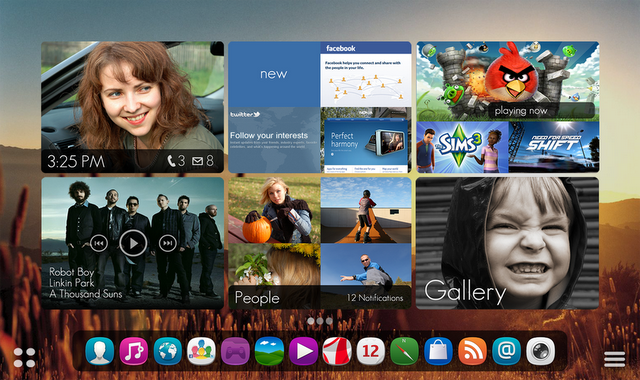
Home Screen is made of the Dock that shows all opened/pined applications and the SmartView (Smart Cards). Check my older concept to see what Smar View is about. There’s also the App menu’s button in the left corner and Home Screen Settings’ button in the right corner.
Smart View is not just about switching between apps; Smart Cards let you interact with a part of application. For instance, switch to a particular window in a web browser, change song, see notifications, etc.
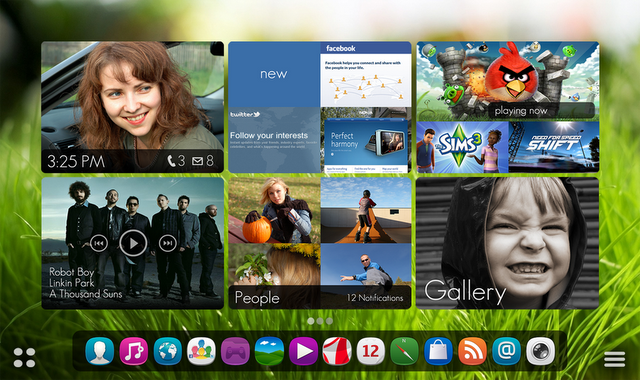
This is the new Home Screen:
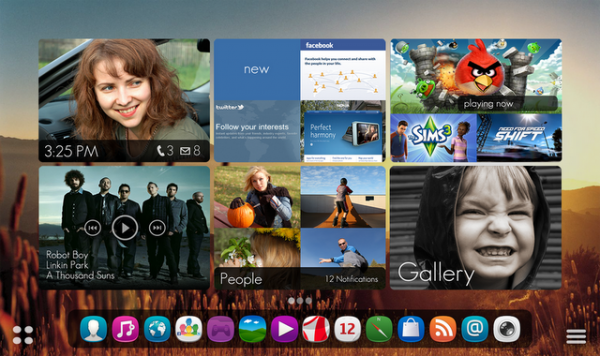
Most of the users use regularly only about 6-10 applications. In my concept, you would be able to pin your favorite apps to your Home Screen. Pinned apps would be always showed in the first positions, even if they are not running.
To launch a running apps just tap on the card with 2 fingers, to interact with a part of application use 1 finger. To see more content just slide up from the lower edge of card.
Smart View would normally show 6 cards on 1 screen. To move to another screen just slide with 3 fingers, or click on an icon in the Dock to jump to a particular Smart Card. Double click on an icon in the Dock launchs app immediately. You can also zoom-in to see bigger cards or zoom-out to see smaller cards.
As you can see, there’re many gestures in my MeeGo Concept. It might be a little bit complicated to remember them all, but I believe user would get into it really quickly. I think, it’s really innovative!!!
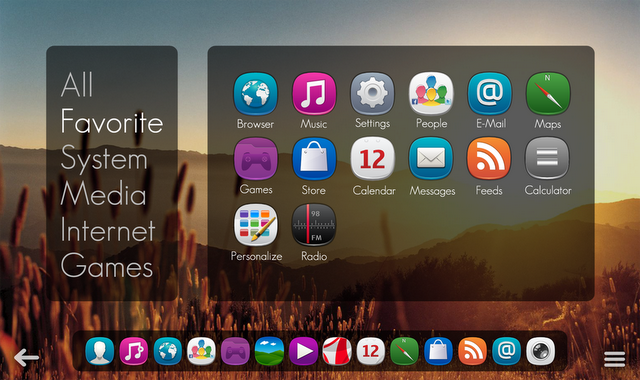
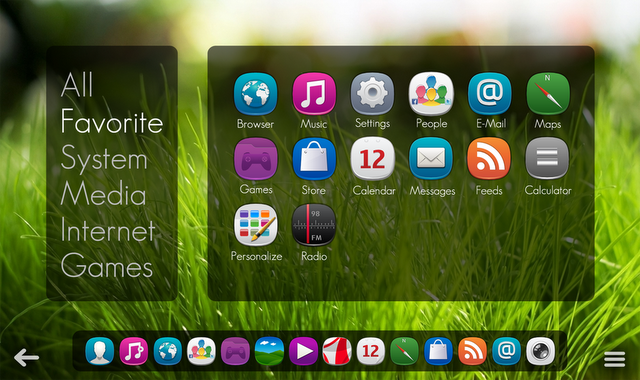
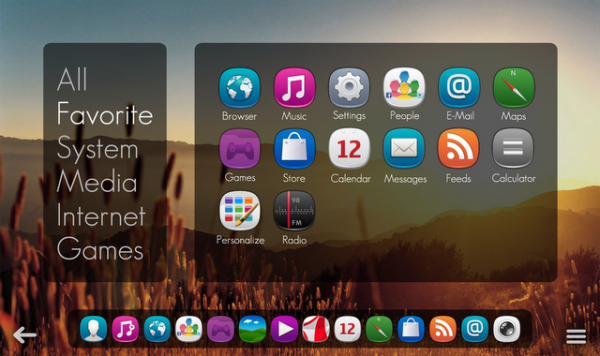
The last thing I want to show you today is an Application Launcher.
So, what do you think? Should I continue working on this concept? If you like this concept, please share it with others. And follow me on Twitter if you want to stay always updated.
About the Author (Author Profile)
18 years old student studying Multimedia Design. User Interface Design as a hobby.Comments (26)
Trackback URL | Comments RSS Feed
Sites That Link to this Post
- Interesting User Interface Mock Up/Concept | SpaceForFreedom | February 12, 2012


I like the idea about using two fingers to get inside an application, that’s a nice one. I think it goes too much against a single finger tap paradigm that is currently present in about every touch-based interface out there though and can’t replace it as such.
But two-finger tap would be a kick-ass way to access functions that normally are behind for example a long press! Many people find long presses annoying and distrupting to the workflow.
…If there’s no underlying pinch-to-zoom functions.
I like This ,, and waitting…
I just boght a asus tranformer tabet,i also own a nokia N8,and i tell u they both work very well togeather,this is my 1st andriod device,but i still love my nokia.the multi tasking on this tablet is ok,symbian is better,i wll buy a meego tablet only if nokia makes1.
Cool Thinking!!! u shud definitely continue wid dis!!!
Very nice! The default UX:s on MeeGo Tablet and Handset suck big time so you could actually voice your opinion and shape the future of those if you wanted I reckon..
Programmers can only do so much if there is no input from graphical designers (the two qualities never meet in one person).
Nice work, Jozef! I would prefer such an interface, over iPad/iOS any time. These ‘cards’ are, in my opinion, also better than the ‘Metro tiles’ on Windows 8/Phone7.
I would love to see a MeeGo tablet, especially from Nokia, with a UX that’s – at least – as good as the N9 experience (from what I’ve seen so far).
the defaut meego tablet looks much much better than this windowsphoneish “meego ui”. the default meego tablet ui is the best ui/ux i have ever seen
Looks very nice. I would definitely love to see this in a real product (hopefully Nokia’s).
I’m sure with a bit of enthusiasm it’d be do-able for plama active
The folder on the desktop infrastructure is already there which’d make it even easier
really awesome concept
This is cool. Now make it happen for real!
The first and second mockup looks a lot like tiles. Its amazing how people here love tiles when its meego but dislike them when its wp7, haha
Well since this is a tablet, personally, I feel that there’s no need for the condensed-tile-like view for the open apps, I like the concept of open apps as part of the main home screen and also can work like widgets, but since the larger screen of the tablet would have more space than a smartphone screen, I would prefer the card multitasking view for open apps like in the N9 (well in the tablet these could have a different orientations and have backgrounds like seen above), which shows live, the entire app but in a smaller view, probably a status bar above should also be included..
I think this is really nice… You should have used Nokia Pure Font though…
Cool UI!! Well done!!
Love it!!!
It has a hint of Metro to it, I like it. It also shows that Symbian should be using the Metro design language so UI wise users of Nokia phones are used to the way it looks and get a less jarring change to Windows Phone.
Hmm…Is there MeeGo that run on WinXP&Win7 Tablet-PC or not?
Ah…and is atom dua intel!
Nice Work. You wonder if Windows Phone will look something similar to this because it has tiles and Big words theme throughout. Looks good but i hope everything transitions smoothly.
I just wonder whther it would be possible to turn the innovative sweep-system to tablet as well? There would just be a home-screen (or two or three or even more) and on the left sweep you could go to open app´s and with the right sweep to other faforites (that could be these most used apps´as in your home screen, but they would be there separately all ready for use. If you could define (according to the power of the machine) that how many apps you want to be opened whenever the device is opened there could be as many of already opened favorite apps when starting the use. The rest of favorite apps could be there waiting to be started. It might be a good idea to definbe with the amount of fingers sweeping wheter you want to put the app just aside and let it keep on working or whether you want it to be removed (hide it) and close it. This of course depends on how much memory they use and how much they make the device slower to open. As most of us know one reason for windows to be so damn slow is that most of us let there be dozens of apps that need to be started along with windows (I mean PC here). I do not understand anything about programming, so all of the above could be null, but just wanted to hint my idea of transferring the idea of sweepin in to the tablet. And please if Nokia might do the iPad killer too (as they now have done N9 the iPhone killer), please make the qwerty like it is done in Asus-slide tab. If you want to get all out of your tablet it needs the fysichal qwerty.
Thanks for reading
I liked !
Вообще вещь)))) Крутой дизайн))) Лучшего интерфейса я не видел))))
This is a very good concept interface……. i will really like to work with u. We are also developing a interface which we will be porting to meego.