
Video: N9 Review – Maps, Drive, Ovi Music, Store
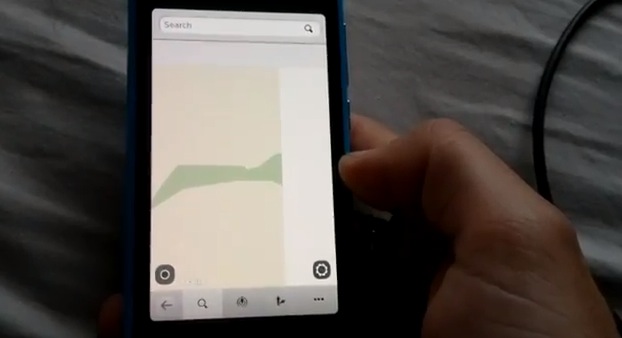
In this review, I’ll be showing you Nokia Maps, Drive Navigation, Ovi Music and the Nokia Store.
MAPS
Maps takes a bit of time to boot. Don’t worry, your new N9 isn’t laggy already. I think it has a very well designed interface. Like the video says, not sure yet how to add more maps at this stage, but I will endeavour to try and do it.
I’m glad they added two finger rotation is this version, was something I definitely thought needed to be included in the Symbian versions. The load time of searches and the 3D buildings were quite quick (over a WiFi connection) and I didn’t notice too much lag.
The bottom toolbar allows you to choose between the Map, Nearby locations and events, Navigation and Settings.
DRIVE
The Drive part of Maps is a little complicated to initiate at first, but I think it wouldn’t take too long for you to get used to how it works. I used this on Friday night and I found it to be very accurate in finding a decent route and also staying locked on my position (despite travelling through heavy bushland).
OVI MUSIC
The Ovi Music store is a very modern looking app to purchase and listen to music. At first, you are required to select the country you reside in, and this cannot be changed.
Although I’m not quite purchasing music yet, it was a pleasant experience to just scroll through the app. The difficulty I had with finding ways to preview the song would have to be my only criticism for the Music Store.
NOKIA STORE
Finally, the Nokia Store (although labelled with Ovi Store) is very smooth and elegant. It reminds me of the Nokia Store just released to Symbian (or should I say the Symbian store replicates this).
There are quite a few apps already available in the store, and hopefully a lot more to come.
P.S I apologise for stopping half way. A weird clicking noise was coming from my N9 just before it went all laggy.
Michael


some typical device farting going on in the vid
guess we’ll see a patch to get the kinks out hopefully soon
but all in all it looks great
lol nice to see n9 farting only while android dual core phones throw some heat too while farting
Hmm that Ovi Music intrigued me
I was wondering “why dont i have that on my N8???”
cant find it in the store but i found “Music Explorer” by Nokia France the app runs excellently (makes me want the Music Player to look/run like it)
anyhow… I thought my N8 came preloaded with an Ovi Music App? or is my mind playing tricks
oh it does nevermind… i just never look in that folder lol
but Music Explorer is still wonderful to use to browse the store contents
nokia really needs to make that the official music store app; Its QT runs like nokia store (but you cant actually buy songs it simply opens the store app if you wish to purchase)
OK, I have seen on the video that it was freezing. I mean I’m about to buy N9 but I don’t really wanna be experiencing freezing like I do on Symbian devices. Recently I have been testing E7, before I had N8 and C7, now I got E7 and all of them (also with Anna) were freezing and I had to restart them. For example I couldn’t answer the phone, because the phone was not responding. I mean, is it just me? I admit I’m a heavy user, daily using Sports Tracker, Nokia Maps, Google Maps, Camera, 6 e-mail accounts syncing, 4squick, Gravity, WhatsApp and some other apps, and is common that 4-6 apps are running at the background (Menu, E-Mail, WhatsApp, plus some above mentioned). Please tell me everything negative about the Nokia N9, so I can decide. I should get it for testing, but not sure when, and I need a new phone by the end of the month, and N9 is an option. Thanks!
all phones freeze/fart/etc and require a reboot every now n then regardless if its android/ios/etc
something weird happened there, as i hade over 40 apps runing at the same time without any lag, the phone does warned me to close some, but no lag
No, don’t lie to yourself. Maybe you are used to Symbian. I have seen this same happen on another N9, I hope they fix it ASAP. It’s unacceptable. It’s a bug, not just because it’s loading something, or too many apps etc.
I’ve used it since friday now. No restart, no lag. (Had to close a webpage once when I started loading 5-6 of flash videos, it tried to load, but obviously they don’t play. Don’t really why I could see them, flash stuff isn’t even visible as on iPhone). Anyway outstanding imo.
Oh yes they do. I’ve seen that happen to my friend’s iPhone and Android. Computers freeze too. They are all very complex machines nowadays, so it’s really not that strange that they do that. It’s to be expected really.
The modern smartphones, all of them, fill up the care centers for being faulty and not working as they should. The workers there say that it has totally exploded after smartphones became more popular. Earlier, when people had mainly feature phones, they had much fever faulty phones there to fix. The more complex the machine, the easier it brakes. And that really affects all smartphone makers, even Apple has as much problems as others. Maybe even more when you think of the faulty antenna.
“No, don’t lie to yourself. Maybe you are used to Symbian. I have seen this same happen on another N9, I hope they fix it ASAP. It’s unacceptable. It’s a bug, not just because it’s loading something, or too many apps etc.”
Please disclose the name of the mobile OS you use.
thank you guys for you answers!
My first E7 was freezing a lot, so I returned it for a new one.
The second E7(before anna) was better but still had some freezing issues, mostly happens while accepting a call.
Heres what I did
1)I stopped using third party themes
2)Found out a bug in contacts.Happens when you add a “huge” file pic to a “contact’s” name.
3)Email & attachments get saved by default in C: drive/phone memory.There is no way to change to E:/mass memory. Keep deleting some emails your sent and received folders. I usually delete emails with big attachments.
Symbian Anna is 90% better but I still need to follow the above 3 steps. And once a week, give your phone an hour of switch off time.
Thanks for thorough walkthrough/review. I depend on having access to my Google calendars (my own and also the calendars of my collegues and family that I subscribe on Google). So in my browser on my Google Calendar (and on an android phone) I see all 5-6 calendars that I need to see.
Do you have an idea about how this works on an N9. Fx. through active exchange sync and caldav and is it working so one would be able to access and sync all calendars?
Martin
+1. I’m curious about multiple calendar support too. I have 4 calendars to keep track of myself. On symbian, it was a nightmare.
Well I also saw some videos of the N9 using the maps application, and the performance was much smoother than the demo here, is it because of differences in firmware or such?? I think the one I saw was something from Malaysia?? The 3D was nice though; How many apps were open that time?? I think it was because of maps that if froze.. they should fix that…
On another topic, I think the Store needed more category divisions to better find apps..
N9 will come laggy , if it reach 75% ram 0r more used an try to swap to virtual ram, i see in ur video u minimeze maps ( maps hog ram use ) and other apps @ background
in PR1.1 maps apps loads up half of the time than in PR1.0
I guess there is some optimising left to do with the code.
Interesting.
Sure seems as though Nokia Maps has some work to do on the N9.
Perhaps by the time the US can even buy the damn device PR1.1 will be out.
“The difficulty I had with finding ways to preview the song would have to be my only criticism for the Music Store.”
might be but eventually must find out that just pressing the song name will play the preview.
What a laggy piece of junk… My gosh, I expected beta but this is ridiculous.
It wasnt that much….ive seen worse on competitor devices “cough Galaxy s2 cough”
it is not lag. any phone will freeze when more apps are opened simultaneously. i think the prob was it didn’t show a menu to close apps automatically.
Yeah, it should be implemented in the future firmware updates where if there are a lot of apps already running, the phone can automatically close those that are not really being used that much, to save memory and battery…
Remember those guys who claim the N9 was completely ready several months ago and was just intentionally delayed?
Hopefully as DSMobile says it will improve a lot with next FW release.
Um, it def. could’ve been ready earlier. sorry, no doubt about it.
“At least” 1-month….
The whole restructuring & everything that’s happened since Jan (announced feb) “has” had an impact.
Oh Michael, could you do a bit more testing of the search function in Maps? On the N900 its absolutely awful… hopefully its much improved on N9. Any observations (beyond the one test you have on the video)?
You don’t add maps via a PC on this, in the menu you were in showing your maps press the Options (right of the toolbar) and add maps.
The process is longer to get to drive from Maps mode however it’s very quick if you start off in Drive mode (which you would do if you know you were driving somewhere rather than walking somewhere).
And I don’t see this lag everyone is going on about?
You’ll notice it eventually..
Sorry, could not resist..
To get the keyboad away, i think you just have to click away from it, like click on the white part of the screen and you will go back
To hide the keyboard you need to swipe the keyboard down and it will go away, they showed this in the support videos nokia published.
Nokia Maps is so basic. Very basic navigation application.
What’s “basic” about it compared to say Google Maps? It’s got public transit directions which is a big step up from Google Maps on my current phone at least here in Stockholm…
-Where is coordinates search?
-Photo navigation? Using a picture’s EXIF data to navigate?
-Route avoidance?
-Multiple route choices?
-Multiple routing points/transit points
-Can you navigate from Contacts?
-Quick route overview option when navigating
-Does it even have a navigation history?
Very basic and slow. Not impressed.
Im sure you will enjoy your N9 when you get it…Nokia lover
If it’s the same as Drive and Maps on Symbian.
-Where is coordinates search?
The search field, you know where you search for stuff.
-Photo navigation? Using a picture’s EXIF data to navigate?
Not available
-Route avoidance?
It’s there
“-Multiple route choices?”
Yes you have some choises.
“-Multiple routing points/transit points”
Not available as far as I know but I might bee wrong
“-Can you navigate from Contacts?”
Yes
“-Quick route overview option when navigating”
It’s there.
“-Does it even have a navigation history?”
Yes it does
“Very basic and slow. Not impressed.”
Since you hate Nokia why am I not surprised.
Stop trolling.
Would you recommend this to someone? Like someone that wants everything perfect and the best? From specs to hang or freeze or whatever. Thanks
That person should get a supercomputer for a phone then.. Until those graphene nanotechnology quantum computing stuff comes to mobile phones, ..then i’m just saying, hardware is still behind software right now, computers still overheat, parts need repair and replacing every now and then, etc, etc… without powerful enough hardware to run on, the software would not run to its full potential, and that’s what bothers me about Nokia pones right now, sadly..
We’re already overdue, we need a giant leap in technology right now…
Alright
Thanks!
If there is no US version of this phone does that mean there will be no way to use ovi maps or are maps from other phones like the n8 compatible downloads?
when its coming out ??
My god this guy has issues. Incapable of hitting buttons correctly or understanding simple stuff like clicking outside the keyboard to close it. I had a 10min hands on in a store and had absolutely no problems.
Btw. 3d maps with buildings displayed is useless, slows down the whole rendering.
i cant get whatsapp on my nokia N9,any help please