
Nokia Creative Studio Released for Lumia Phones (Panorama & Image Editor) + Review
| March 17, 2012 | 34 Replies

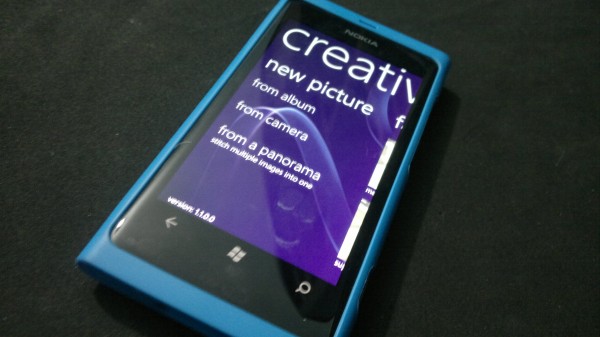
Nokia JUST released (today or yesterday I believe) an awesome new app for Lumia phones called ‘Creative Studio’ this app brings the much awaited Panoramic Imaging function as well as a bunch of other cool features to Nokia WPs.

The app includes some of the usual face warp features (alien, megasmile, ultra chin…) as well as some of the normal filters we’ve gotten used to- Cartoon, sketch, tilt focus… (none of the stuff you’d actually use in everyday life; but normal instagram editing options).

The Panorama part was what I liked best- the image quality doesn’t seem to have suffered to much (keep in mind this is the 800 not an N8 or 808)- but most importantly it didn’t take 3 hours to stitch the image together (I’m looking at you Nokia Panorama for Symbian); in fact the stitching was almost immediate. The one downside in the panorama app itself is that the maximum number of images that can be stitched together is 4; so that’s going to limit your creativity a bit.

(Don’t even ask why I had a drawing of Spongebob on my desk)

Test sample:

I'm quite proud of myself for this one- so go ahead and view in full size awesomeness

My only issue with the app as a whole is when capturing images with custom filters (like cartoon mode) there is a noticeable lag gap between the camera viewfinder and the actual image your looking it (like early Symbian phones)- I assume this is because it’s loading the filters ontop of the actual camera process but I think it could be smoother.
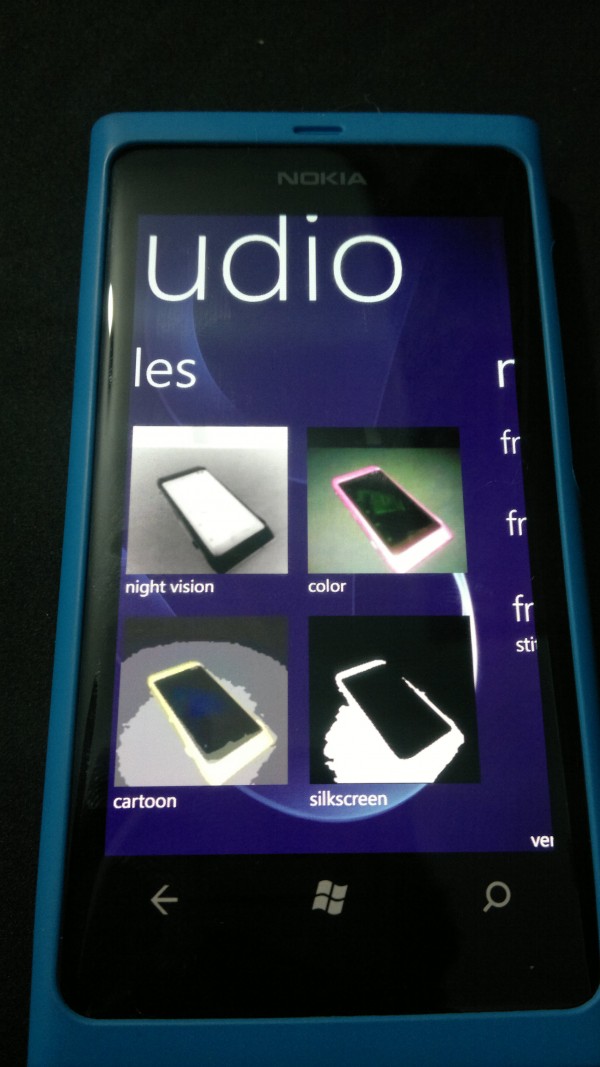
Some of the available filters on Creative Studio

Absolutely the coolest picture-taking, editing and sharing app, and it’s only available on your Nokia Windows Phone! Turn your snaps into great photos using a host of gorgeous effects and editing tools. Patented technology enables blazing fast, live, in camera effects so you won’t have to wait to see your pictures. You can even effortlessly create awesome panorama shots! Share your personalized pictures directly with friends on Facebook, Twitter and Flickr.


Sketch mode on the Creative Studio

I wouldn’t go as far as saying that this app is mobile Photoshop because it’s obviously not. but if anyone uses Picasa on their computer this gives you about as much functionality and possibly even more (direct uploads to Flickr is always a bonus).

This is what a REAL football looks like - In cartoon mode
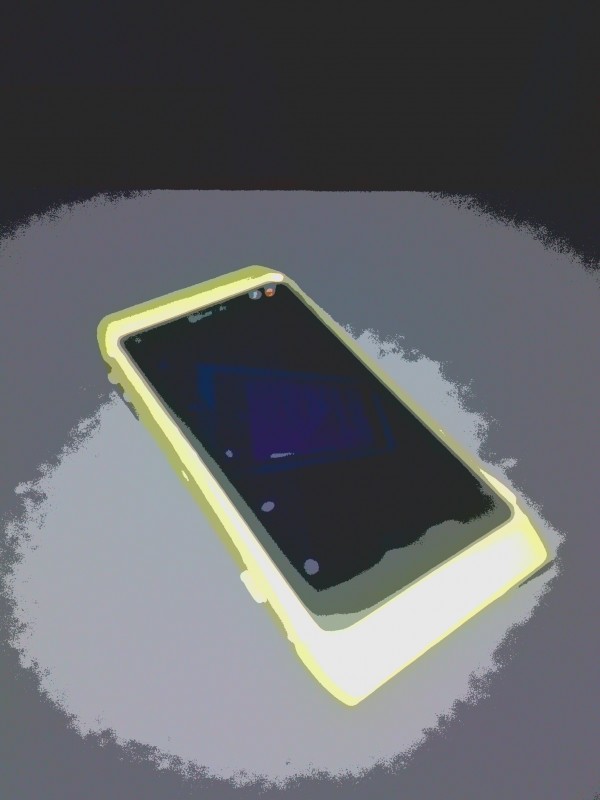
More Cartoon Mode Magic on the N8

Nokia Creative Studio is a LUMIA PHONE ONLY app (more reasons to buy Nokias) but for some reason it hasn’t been grouped under Nokia collection on the store yet- You can either search for Nokia Corporation on the marketplace or Just scan the QR code below to go directly to it (neat huh)

 

Tags:

Category: Nokia, Windows Phone

About the Author ()

Heyyo, names Ali- Currently a fourth year Dental Student from Chicago; studying in Jordan. I love all sorts of gadgets almost as much as I love my cookies! (Have: Green Nokia N8, Cyan Lumia 800, Black N9, Stormtrooper White Lumia 900, Black 808 PureView, Red Lumia 920). Follow my twitter handle '@AliQudsi' - no pressure. Thanks.

Comments (34)

Trackback URL | Comments RSS Feed

  1. lovenokia says:

    tap the screen to take better pitures.

  2. krisq says:

    Why do you have Spongebob drawing on your desk? :p

  3. Deaconclgi says:

    Thanks for the info and QR code. I love how you don’t have to press a “scan” button to scan the codes on WP.

    • Just Visiting says:

      It’s pretty cool that Ali included the QR code :)

      And I agree with you about the QR reader being integrated into WP – this is one of the features I am most looking forward to using when I purchase a Nokia WP!

      • Aliqudsi says:

        Thanks:) I’m planning on trying to add them to all app reviews- I never understood how useful they are till I got a WP.

        • Harangue says:

          Also include the download for Windows Phone image thingy. Its a bit hard to scan the code when reading it on the phone :P

          • Aliqudsi says:

            Woops; issue is that this doesn’t show on the PC marketplace cause it’s a Nokia only app- so there is no ‘real’ direct link for it.

  4. Jesse says:

    I love the panorama feature, they nailed that pretty well. The smooth filter works quite well and the contrast/colors adjustments with the side by side comparison works well too.

    Pretty nice app, just wish it was integrated with the native camera like HTC does it. No need to make this a seperate app.

  5. JonWayne says:

    So where exactly is the tilt shift effect located? I can’t find it…

    • Jesse says:

      There isn’t one but there are many in the marketplace. Personally my favorite is the one in Fantasia Painter but there are many to choose from.

      • Manu Jee says:

        Yeah, Fantasia Painter is the best app. Infact my fav app for editing. Has lots of effect and other feature like cloning and tilt/shift also… Very nice app… Infact I would like to give it a status of “Adobe Photo Shop for Windows Phone 7″

        This app is also nice. My fav part is the panorama. At last nokia is bringing symbian feature to wp. I really wan’t to see FM TRANSMITTER in WP by Nokia…

  6. jody / buzzinga says:

    any chance a panoramic effect will ever reach n9?

    • Steve says:

      “any chance a panoramic effect will ever reach n9?”

      I wouldn’t mind knowing this too.
      And FCam-based apps can’t come soon enough.

  7. Just Visiting says:

    I like this app! Hopefully, the future version will either be integrated in the Camera app within WP, or perhaps add some of the items from Photo Editor (N8).

    I really like what Nokia is doing with their Lumia devices :)

  8. Viipottaja says:

    I assume the face warps work better with a real face – and indeed that seems to be the case, judging from the thenokiablog.com video review.

  9. pekkapuupää says:

    You should have wrote “real handball” :)

  10. s2korpio says:

    I’ve only given it a consideration for its simplicity and the panorama mode. I hate how it lags during the panorama shootout though. Thumba Cam still wins when it comes to filter choices.

  11. Stound says:

    I hope there’s an app like this on the 808, I mean it is a camera centric phone

    • lordstar says:

      I was wondering the same thing. I think it will come though.

      This is a great app to differentiate lumia devices. This could be one hint that a lumia camera centric device is coming soon.

  12. Kiran says:

    Hi if you admins dont mind then please check the nokia group in facebook. I have done a lot of effort and you can as well help develop it and its growin with more than two thousand members.

  13. Jay Montano says:

    Been playing about with panorama today. Man it’s fast. Click, pan, pan done. No waiting around like before on n8 and then it randomly crashing.

    The stitching is good, not perfect. It would be nice to perhaps pan the other direction.

  14. Yonas says:

    Nokia lumia, are good mobile phones.

  15. edsaldano says:

    I really wanted to buy the lumia 900 but it’s not a penta-band 3G phone and i use T-mobile in the US and they use 1700 band.So now i have a nokia n900 and it’s old in the tooth it’s over two year’s old i was holding out for the lumia 900.So this might be my last nokia does anyone know what unlock phone that’s really nice to buy that work’s with t-mobile USA 3G beside’s noika ?

    • Steve says:

      ["does anyone know what unlock phone that’s really nice to buy that work’s with t-mobile USA 3G?"]

      Why not the Nokia N9?
      It’s pentaband & can be found for cheap in the US if you do your homework.

  16. Fran says:

    Mmm, there’s something interesting about this. Is Nokia using Qt to develop their apps in WP7? I mean, look at this: http://www.youtube.com/watch?feature=player_embedded&v=aBuBlpUSajM

  17. Jesse says:

    I doubt it, probably they are using this method http://slartoolkit.codeplex.com/

Leave a Reply