
Video: DLNA Nokia Play To demoed on Nokia Lumia 710 (like AirPlay)
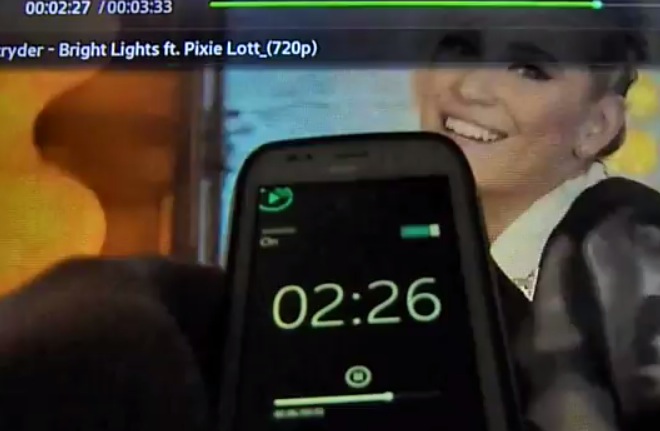
DLNA is not new though the name doesn’t conjure up any obvious meaning, as say, Apple’s ‘AirPlay’ Â (requires Apple TV) where content from the phone can be played back on a compatible device (TV) wirelessly.
Nokia’s App, Play To became available  for Nokia Lumia this week. (Perhaps it should be called, PureStream? ;p)
http://betalabs.nokia.com/apps/nokia-play-to-for-windows-phone
With the “Play To†application for Nokia Lumia phones you can show pictures and videos wirelessly on other DLNA capable devices (TV’s, BlueRay players, Mediaplayer in Windows 7, etc…) connected to their network.
Future releases of the application are planned to also include support for music.
Please download the application and try it at home with a DLNA-capable device, then let us know if it worked or not (for example, by writing a review if it worked, or submitting a bug report if it doesn’t work).
Either way, we would like to know the type of router you were using, the make and model of the DLNA device (TV, Blu-Ray player, etc..) you were connecting to or trying to connect to.
Another piece of valuable information would be if your TV/Blu-Ray player was connected to the network via a cable or connected wirelessly.
Here’s a demo of that in action. Â Connection seems quick and the controls look simple and responsive.
by Kwok Tai
Hmm. I’d like to try that. I think my Acer is DLNA certified. Not sure what the set up will involve but I’ll give it a go.
BTW, check this DLNA demo out from the N95. Ah N95. The days when no one knew what a smartphone was, except for possibly the select Nokia users.
This looks quite a cumbersome set up. But back then, we just accepted that smartphones need some smarts and are generally more complicated.
Now it’s a new invention by Apple. :p jk
Here’s Play To on Nokia C7
Cheers Juri for the tip.
Category: Applications, Nokia, Windows Phone

About the Author (Author Profile)
Hey, thanks for reading my post. My name is Jay and I'm a medical student at the University of Manchester. When I can, I blog here at mynokiablog.com and tweet now and again @jaymontano. We also have a twitter and facebook accounts @mynokiablog and  Facebook.com/mynokiablog. Check out the tips, guides and rules for commenting >>click<< Contact us at tips(@)mynokiablog.com or email me directly on jay[at]mynokiablog.comSubscribe
If you enjoyed this article, subscribe to receive more just like it.


Connect
Connect with us on the following social media platforms.