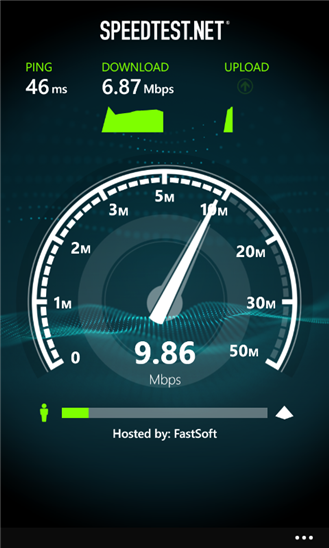
Official Speedtest App Finally Available for Windows Phone 8 (Only)
The official Speedtest app for WP8 has finally landed in the marketplace, and is free to download from the store.
Use Speedtest.net for easy, one-tap connection testing in under 30 seconds—accurate anywhere thanks to our global network.
- Millions of users have made Speedtest.net the #1 app for testing internet speeds, and it’s trusted by the professionals like Anandtech, Engadget, and the BBC and New York Times!
- Discover your Download, Upload, and Ping
- Real-time graphs show connection consistency
- Troubleshoot or verify the speed you were promised
- Track past tests with detailed reporting
- Easily share your results
Michael: You can get the app by clicking below. Doesn’t seem to show up when manually searched for (at least on my Lumia 820)
http://www.windowsphone.com/en-us/store/app/speedtest-net/4fcd4de1-050b-44dc-b123-a786808eb49b
Category: Applications, Nokia, Windows Phone
About the Author (Author Profile)
Heyyo, names Ali- Currently a fourth year Dental Student from Chicago; studying in Jordan. I love all sorts of gadgets almost as much as I love my cookies! (Have: Green Nokia N8, Cyan Lumia 800, Black N9, Stormtrooper White Lumia 900, Black 808 PureView, Red Lumia 920). Follow my twitter handle '@AliQudsi' - no pressure. Thanks.Comments (13)
Trackback URL | Comments RSS Feed
Sites That Link to this Post
- Speedtest.net disponível para WP8 | January 17, 2013


Hmm… something wrong with the page formatting? I thought IE10 on my phone messed up the page but it seems like it’s the same on my PC…
Ali copy-pasted the text from the Windows Phone Store and it took the text formatting with it.
Yeah dunno what’s up with wordpress; it’s refusing to remove the text formatting back to default; tried for about 5 minutes then gave up :/
I updated post to include link and also fixed the formatting
What I do when copying texts from webpages is paste them first to Notepad, then copy it from there and paste to editor.
oh cool
I have issue searching it in my country’s store
It’s available if I use en-us store and then switch to my country but I can’t do direct search. I end up changing phone’s region to USA to get this and then switch back…
Finally! Just down loaded it, did a test. Works perfect.
now I have confirmation something screwed up with LTE in Los Angeles County. I’m only getting 0.754Mbps download, buy 5.0+ Mbps upload.
Fix it, AT&T
I only have a Lumia 900 (WP7) and use an app called “my speed test”. In San Diego I get 5.639Mbps download and 1.379Mbps upload. While these aren’t spectacular speeds for LTE, they’re pretty decent. Hope AT&T fixes the issues in LA.
Interesting: Here in London LTE is just available but I’ve stayed with o2 (mobile provider) and their 3G+ service (which I have unlimited data & minutes for £20 per month) and I ran Speedtest yesterday on my Lumia 920 (unlocked and SIM-free). Stats are: Download 10.00 Mbps; Upload 1.06 Mbps. Given this data why do I need ‘slow’ LTE and at a greater monthly cost?
It would be interesting to see what other people are getting.
“…Available for Windows Phone…” OH YAYYY! “…8. Only.” Baww.
It seems that WP is starting to gain some real application support.
It’s very hard to believe that Nokia would have this much applications if they had continued with MeeGo and Symbian. After all, there were no Qt applications to be ported. On the other hand making a WP version is not that hard compared to a Qt version.
Actually some games can be ported from iOS to WP8 with small (really) amount of additional coding. This is great news for those people waiting for more games. It’s also quite sensible to design new a game you can run both on iOS and WP8.