
How to : Stream media to your PC through DLNA on your Symbian^3 device
 You must have already seen the Qt “Play To” app by now, if not, read it here . In that post, we had a few puzzled users who didn’t know how to connect their device to a PC, some users suggested the highly acclaimed XBMC for streaming, but i always knew there were simpler ways, so i researched a bit, and here is my tutorial on how use the “Play to” app. This is for people don’t have any DLNA certified device ( TV, PS3 for example ), but only have a PC, like me.
The Nokia “play to” uses the mobile DLNA protocol to stream media ( includes photos, music and video ) to any DLNA compatible device. ( more about Digital Living Network Alliance here ) There are millions of DLNA certified devices which, when connected to the same WLAN network, can share it’s media. Neat household tech, and most importantly it’s very easy too. On with the tutorial then.
You need :
- to have the “Play to” app installed on your Symbian^3 device ( all except C6-01, who knows why ? )
- a WiFi connection, to which your PC/Laptop and your device can connect at the same time.
- the Windows Media player 12 ( The only version of WMP that fully supports all DLNA roles ) So, basically you need Windows 7 on your PC.
After you gather the above requirements right, we shall configure our client, the PC’s Windows Media Player.
The configuration is really a two clicks affair, you need to click the “Automatically allow devices to play my media” and the “Allow remote control of my player” options under the Stream tab in Windows Media Player library view.
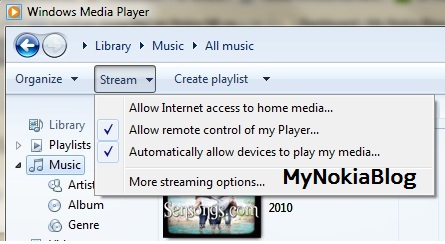
You get prompts for confirming your selection, like this :
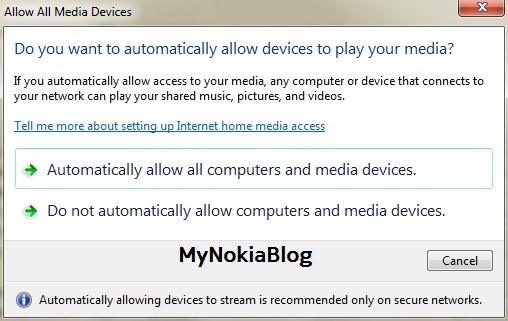
After giving permissions to the player, you are all set to stream/share media on your PC . Fire up the Play To app on your device, it will automatically search for DLNA devices and will show you the options to select, like this
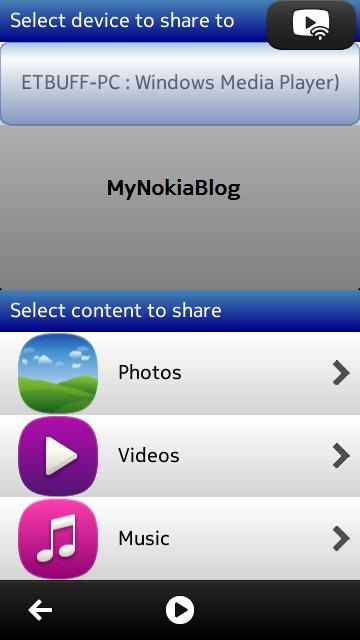
The icon on the top right hand side is the one that indicates that streaming is in progress.You can click it to terminate the connection too.
The Photos viewer : Click to stream applies to all kinds of media.
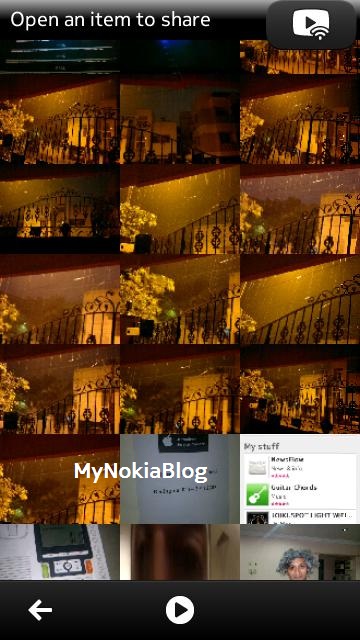
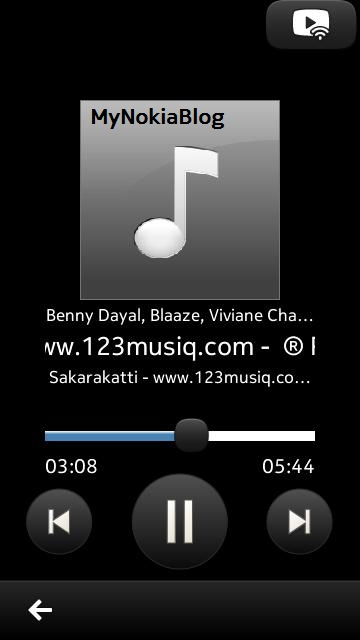
The Play symbol in the bottom bar, is the now playing/streaming icon. You can play/pause/seek music from the windows media player , also from the inbuilt music player, which has a very similar interface to the native music player for cover flow browsing, but the now playing differs and looks like this,
Videos can be streamed at full resolution i.e 720p and this, in my opinion is the most useful sharing option, we can instantly preview our videos . And it’s UI too is similar to the Videos native application.
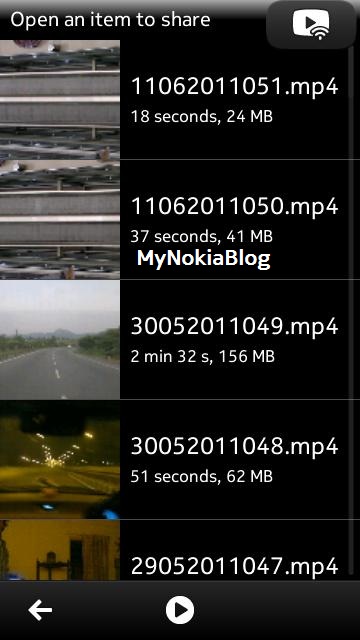
It’s all very simple, just click any photo/music or video and there it is , on your PC monitor ,showing/playing your media through Windows Media Player.
Hope you liked my tutorial, do let me know if you face any problems.
Note : If “Play to” cannot find your PC, restart windows media player and do not play/view anything while trying to connect through DLNA.
Thanks and share this post if you like it !

About the Author (Author Profile)
Hi there, thanks for reading my post ! Am passionate about mobile devices especially Nokia, just like you ! Follow me on Twitter(@bharadc23) if you want quicker updates of my interests. We at MyNokiaBlog have twitter and facebook accounts too : Follow @mynokiablog and facebook.com/MyNokiaBlog. Tip us : tips(@)mynokiablog.comSubscribe
If you enjoyed this article, subscribe to receive more just like it.


Connect
Connect with us on the following social media platforms.