Tag: How to:

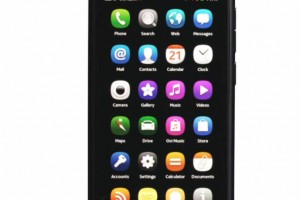
Videos: 17 Nokia N9 Tutorial/How-to videos

Videos: 17 Nokia N9 Tutorial/How-to videos

| October 12, 2011 | 3 Replies

I saw these videos two days ago, but I wasn’t sure whether they were a reupload so I didn’t post them as I think I’ve watched them elsewhere before (plus the date on the tweet screenshots say 25th August). This first batch is from Nokia Sweden. But Nokia Suomi also posted up a new video [...]

Read More

How to : Stream media to your PC through DLNA on your Symbian^3 device

How to : Stream media to your PC through DLNA on your Symbian^3 device

| June 12, 2011 | 59 Replies

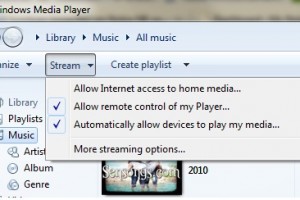
You must have already seen the Qt “Play To” app by now, if not, read it here . In that post, we had a few puzzled users who didn’t know how to connect their device to a PC, some users suggested the highly acclaimed XBMC for streaming, but i always knew there were simpler ways, [...]

Read More

How To: Play Nokia Snake Inside a YouTube Video

How To: Play Nokia Snake Inside a YouTube Video

| January 12, 2011 | 2 Replies

Here’s something weird and neat. I’m sure you see all the time on YouTube video comments, silly instructions telling you to press this or comment certain words and something happens, or you’ve got to do something to prevent your imminent death because you read a comment. Aaanyway, I actually tried one that said you could [...]

Read More

Gallery: Nokia N8 by Nokia N8: White Background Macro Photography (and using Photo Editor's Highlights and Shadows)

Gallery: Nokia N8 by Nokia N8: White Background Macro Photography (and using Photo Editor's Highlights and Shadows)

| November 22, 2010 | Reply

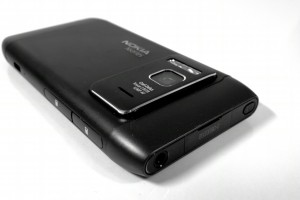
Prior to the Nokia N8 I relied on the N82 for product shots. Yes, I could have used a digicam but I just like the simplicity of sending a bunch of photos over bluetooth. No looking for wires, removing any memory cards, just click and send. Anyway, I was checking out the N8 to see [...]

Read More

Video: Topolino70's N8 Camera secrets revealed – attaching lenses and tripod to N8

Video: Topolino70's N8 Camera secrets revealed – attaching lenses and tripod to N8

| November 13, 2010 | Reply

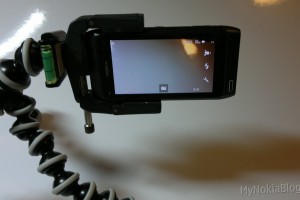
Topolino70 has produced some of the most stunning Nokia N8 videos we’ve seen thus far including: Among these include some really close up shots. But the N8 has an Active Hyper-Focal lens – i.e. no autofocus but everything beyond the macro region is in focus. In the video below, Topolino70 shares how he attaches his [...]

Read More

Video: Nokia N8/Symbian^3 How to: speed up homescreen swiping/remove perceived lag between screens

Video: Nokia N8/Symbian^3 How to: speed up homescreen swiping/remove perceived lag between screens

| October 18, 2010 | 51 Replies

Now for some reason or another, the Symbian^3 homescreen introduces a perceivable “lag” when switching between screens. This is apparently designed that way (due to the active widgets on screen). The homescreen lag is less visible when in landscape (where the swipe movement would be more obvious than a possible mispress in landscape. You could [...]

Read More

How to: Porting Apps from iPhone and Android to Qt

How to: Porting Apps from iPhone and Android to Qt

| July 22, 2010 | Reply

Got an Android or iPhone App? Want an even larger audience and another distribution point? Port to Qt and get your awesome app on the Ovi Store. Forum Nokia has a helpful page on their Wiki detailing instructions on porting Android and iPhone apps to Qt. The page was updated last in June, so now [...]

Read More

Video tutorials: Nokia E73 Mode tutorials with T-Mobile, from Ovi Store Shopping to setting up exchange/personal email

Video tutorials: Nokia E73 Mode tutorials with T-Mobile, from Ovi Store Shopping to setting up exchange/personal email

| July 7, 2010 | Reply

T-Mobile’s given the Nokeeeya E73 Mode some excellent video tutorials to get even the most basic phone/Eseries/Nokia newbie up and running. They’re short and quick, but very informative. Our demonstrator here is the lovely Jen. HOW TO INSERT BATTERY/SIM/MEMORY CARD: [YOUTUBE=http://www.youtube.com/watch?v=z5_g-oJ8qSE] CHANGING MODES (Eseries function and the namesake of the E73) [YOUTUBE=http://www.youtube.com/watch?v=Fw0KcvgGCoQ] MAKING A CALL/USING [...]

Read More

Videos: How to: Nokia N900 Custom Bootup/Startup Videos

Videos: How to: Nokia N900 Custom Bootup/Startup Videos

| February 11, 2010 | 3 Replies

Want a change from the connecting people hands as your startup? With the N900 you can change the video at bootup/startup. This can be any short clip that the N900 is able to play. Preferably “.avi”. Instructions on how to do this yourself are at the end of this post. Below are some examples of [...]

Read More

How to: Fixing "Unable to install application" error on N900

How to: Fixing "Unable to install application" error on N900

| January 5, 2010 | 25 Replies

If you delved into the realms of “Extras Testing” applications, an app there may possibly have caused a fault in your N900 giving you “Unable to install __insert__app_name” errors. Since Christmas day I’ve been unable to find the answers to fix Unable to install ‘Bounce Evolution’ Unable to install ‘Hermes’ Unable to install ‘MooBox’ etc. [...]

Read More

How to hard reset Nokia N900?

How to hard reset Nokia N900?

| January 3, 2010 | 250 Replies

UPDATE: You will need: N900 (Charge up to at least 50%) PC Micro USB Cable Your IMEI number (go to settings>About Product or under your N900 battery) Before you look at the instructions: Backup the N900! This process will wipe your photos and videos. Save precious data onto your computer. Simply drag and drop them [...]

Read More

How to: Getting more apps to your N900 – Adding application catalogues to app manager.

How to: Getting more apps to your N900 – Adding application catalogues to app manager.

| December 18, 2009 | 64 Replies

[Update: Be warned, some apps from this catalogue may harm your N900] As a N900 user, you might be aware that although Ovi isn’t yet officially ready for the N900, you can still get buckets of apps via the app manager. [App Manager>Download>Refresh] With the app manager you can download lists of applications from predefined [...]

Read More

How to: Remove the back cover of the Nokia N900/Insert a wrist strap

How to: Remove the back cover of the Nokia N900/Insert a wrist strap

| December 6, 2009 | Reply

This is a quick video that shows how to remove the battery cover and also how to insert a wrist strap. The back cover mechanism has been gradually refined over the years with Nseries. I remember the flimsy connecting stubs of the N95 and N93′s battery covers; they were so weak, they broke if you [...]

Read More

How to: Hard reset your Nokia N97

How to: Hard reset your Nokia N97

| July 18, 2009 | 462 Replies

If you’re unfortunate enough to encounter a problem on your Nokia N97, a hard reset maybe what you need to do. This wipes the entire phone memory and settings fresh to how it was (or should be) when you bought it. It’s also useful if you’re also unfortunate enough to have to send away your [...]

Read More

How to: Calibrating the Nokia N97's compass in 3 seconds.

How to: Calibrating the Nokia N97's compass in 3 seconds.

| July 12, 2009 | Reply

The Nokia N97 has a compass mainly for rotating your maps to align with the roads/surroundings as you turn your phone. It doesn’t rotate instantly towards north like a real compass – and so, needs a bit of calibration, which according to the manual, the method is to swing your phone in an 8-shape like [...]

Read More