
MNBRG: Problem with Belle FP2 alphanumeric keyboard?§
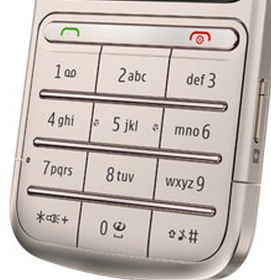
We received an email from Symbian fan, Alex, who says that since the Belle FP2 update, his alphanumeric keyboard has become unusable. Are you experiencing similar issues?
Hi Jay,
I’m not sure if you use it and are aware, but the new T9/Alphanumeric
keyboard on Belle FP2 (e.g. on the 808) is pretty terrible and a big
step back in usability. I’ve posted about this on Nokia support here:
http://discussions.nokia.com/t5/Nseries-and-Symbian-Smartphones/Belle-FP2-T9-Alphanumeric-keyboard-MUCH-worse-than-before/td-p/1571236
and on AAS here:
http://www.allaboutsymbian.com/features/item/15939_How_to_use_T9-style_keypad_inp.php#disqus_threadIt seems plenty of people agree with me, as you can see. I’m trying to
get Nokia to take notice and do something about it and wondered if you
would consider putting a poll on MNB asking if people agree or not,
please? (i.e. is the new FP2 T9/Alphanumeric keyboard better or worse
than before FP2?)If you do, please could you make it clear this is specifically only
about the T9/Alphanumeric keyboard and not the portrait or landscape
qwerty, which I think everyone agrees are a definite improvement! The
problem is that a great many people find the T9 keyboard the fastest and
easiest to use (or did, before the changes). And obviously text input is
critical on a phone, so this is a signficant story that is worth running.Many thanks,
Alex
Category: Nokia


It’s different than before. Not worse, per se.
It is ok that they improve the qwerty, but why they remove the t9?
It is ok that they improve the qwerty, but why break the swype?
I used to use almost only T9 in the portrait mode (808), but after FP2 I’ve been forced to use the qwerty-mode, as T9 is so cumbersome (slow) to use after the update.
I agree with the letter sender.
Just make a try. Use the T9/Alphanumeric keyboard, compose an SMS & try typing the word “appreciate” & you will know what I mean.
FP2 keyboard is very terrible.
Edit: FP2 T9/Alphanumeric keyboard is very terrible.
Settings > Phones > Language > Writing Language,, English qwerty keyboard is checked (at least on my phone, i don’t know on yours), select “Phone keypad”.
Man you’re awesome. Thank u very much. (But I think this phone pad still a little worse than before.)
how do i get the alphanumeric keyboard? cant seem to see hw to get mine im on FP2 on 808
follow the instructions from here http://www.allaboutsymbian.com/features/item/15939_How_to_use_T9-style_keypad_inp.php
Settings > Phones > Language > Writing Language.. English qwerty keyboard is checked (at least on my phone, i don’t know on yours), select “Phone keypad”.
not only keyboard,we got a lot of problems about fp2 :/
guess what. this is deliberate , Nokia wants to change to WP symbian doing shit , a clear example is that city lens can not be used in the new update , what the **** is that? I expect the same in the next update of meego ,
Symbian touch. One step forward and two steps backwards. Always has been, always will be. Good riddance.
That said, I don’t recall any issues with the numeric keypad on my 808. Will test tonight with updates.
“Always has been”
That is so not true. Symbian touch has been evolving quite well before Feb 11, Anna did not break compatibility with S^3 or even with S60v5 for that matter. Every incremental upgrade was brining improvements, not taking things away.
Bugs are another issue, but even so there were less of them then than there seem to be under Elop’s “regime”.
What else can one expect when most Symbian devs have simply been fired?
Oh my god, you’re still here? What the hell did I do wrong to deserve this. My cat had horrible diarrhea, it’s liquid, it’s everywhere, and now this?! I’m so sorry Jesus.
Lol i find it hard to understand how you can make a comment like that, while on the other hand you personally havent had a problem with it.
On this topic, I used to use alpanumeric keyboard alot, but after getting the qwerty kb i stopped using it. But what the funny thing is when symbian had a great alpha keyboard and crappy keyboard people complained about that, but now that it finally has a good qwerty and bad alpha kb now people complain again!
It seems like that people here always look for ways to talk shit about symbian. I mean come on, when the n8 was released all the tech websites only talked about qwerty the qwerty kb has to be up to par
and please it seems most of you are blaming symbian, but its really nokia who killed of symbian and not supporting it the way they should have.
well about Chinese ,its well better than ever.
Basically there are 3 options:
1. Live with it
2. Use qwerty like every other sane person
3. Switch to Android
Hu!! Android?? What is it??
I would have preferred to have been able to keep swype, that was an excellent keyboard.
Well there isn’t hope of Nokia doing anything about this. They have officially said they wont add any more features and there will only be big fixes.
my issue here is that the keyboard sometimes vanish completely. It wont show up so you wont be able to type anything at all. You need to reboot the phone for it to get fixed.
It’s different, and that is what makes it seem harder. It’s an improvement over the outgoing touch T9 because the bottom row keys kept getting pressed by accident & wasting a lot of input time. The previous alphanumeric screen didn’t quite behave like the regular physical keypad of standard, and so after years of use, and training, and typing blind, I was typing a load of rubbish on the touch screen version.
We shouldn’t be too hard on this new keypad because Nokia has to put out new stuff for us to try. What I find unnerving is the phone second guessing all my next words like nothing I ever say is going to be genuine any more. The thought process in sentence construction is definitely different here.
Fix please – I would like alphanumeric in portrait, and Swype in landscape mode. I like the choice of different ways for input text without rebooting the phone
Conclusion -
Nokia Asha Touch And Type. The best phone for text intput?
I recommend Baidu as the only T9 English input system on Symbian…but it supports English and Chinese only…
Swype is BROKEN! The keyboard sits over what you are typing so you can’t see anything! Bullsht!
How do they not test this stuff?! This is the primary interface for many people.
Yup. Swype is perfect for fast portrait use, one-handed (I wouldn’t bother with it in landscape because drawing unbroken lines from one end of the screen to another requires more time and effort; in fact I don’t think I’ve done any landscape typing in any form in over a year). But on FP2 it doesn’t work as it should anymore. Type an SMS message, note or anything that’s longer than half a screen long and you just can’t see it. And what you write isn’t visible at all in places like the find word feature in Web, where the text entry box stays at the bottom of he screen behind the keyboard.
Which version of Swype? I was happily using the Swype beta, but not surprisingly its now borked under FP2.
It’s the beta, or as I call it, “the one that actually has split screen,” but I read that the other if focked too.
This sucks a bag of dicks.
In general I’m having mixed feelings on FP2 as a whole.
Still a niggling feeling that the 3G data bug is around (didn’t have it often before, had it once since FP2 was installed).
SMS issue appears to be resolved.
Camera still has bugs (won’t start).
FP2 keyboard has basically been forced upon users as its broken the Swype beta, and the T9 keyboard is utter rubbish. New keyboard is an improvement, but its still far from ideal – it doesn’t auto correct, you still have to click on the primary words its suggested.
Some parts of it are very definitely far from complete. SMS notifications on the home screen are slightly off to the left. Previously nicely centered.
Soft keys in the clock follow the 4 button positioning despite there only being 3 buttons (should really be spaced out).
Its very definitely rough around the edges, which is irritating as Belle in FP1/FP2 is so close to complete brilliance – it would have only taken a small team a little time to correct and re-write some elements of the interface, but they can’t even be bothered to do that.
This is one of the reasons why developers dumped Symbian for Android. Nobody except Baidu and Swype have been able to write a workable FEP for an alternative keyboard. It’s taken far too long for Nokia and Accenture Symbian developers to do this and yet they’ve done a half-ass job, looking at the T9 issues on FP2… typical old Nokia, I’m afraid.
Look over at Android and you’ll see the huge choice of alternate keyboard apps.
I’ve tried a few keyboard on my android tablet, all of them seem a little sucky for one reason or other – on that count Symbian is the equal of Android.
It wouldn’t have taken a lot of effort to get Swype released.
Agreed that its old school Nokia with the T9 and the whole thing really – potentially great products just never quite finished.
(and I really cannot take Android seriously, that still seems half baked for different reasons)
One other thing – why is it that the numeric keyboards for the PIN/unlock code entry is different from the clock entry screen?
At least the clock entry keys are bigger and the numbers are centered. It’s as if the PIN keys are T9 keys with letters removed.
Hmm, maybe these were the bugs the update was pulled earlier and re-announced a few days ago? Or it is happening after fixing the update? I don’t have any 2nd phase Symbian handset to check but just sharing a thought.
Just tested it, See no problems with it but I normally use qwerty tho
Its nowhere near as easy/natural as the prior T9 keyboard, which followed the style as used in virtually every Nokia used since the beginning of time.
The qwerty keyboard needed to be revised. The T9 keyboard didn’t need to be changed, yet they’ve gone ahead and changed it (and hidden the option for changing keyboard way too deep in the menus)
I would have like an option to move the bottom line to another place.
I think i have found a massive t9 keyboard bug in fp2 but im not sure because i am running a custom firmware atm.
Can someone please test this for me please on official firmware.
Open the web browser and click on the search bar. delete the current url then type something like WHAT pretty fast.
This auto completes a url from my history and makes me delete the whole url before i can type the second letter. I have to be really slow in completing the search term because if i dont then the phones does what it wants
This might be a bug in the cfw so help would be great thanks
I’m surprised people still use the alpha-numeric…..
i have to agree with the last post! after the fp2 update there is no reason to use the alphanumeric and thank god that nokia at last gave us a worthy keyboard!
sorry for the double post but those who can not work with the new keybord have the option to disable some fuctions off it. optios->phone->language. there you can choose the options off the keybord
sorry again, not “options”, go “settings”
After some use, the new keypad is definitely easier to call up for signing into my bank. I would like more options for the user. Old style / new style / Swype, and without rebooting. I like many different ways of text input. There is no right way.
As pointed out here, the new T9 keyboard is terrible. It is extremely slow. Also, the handling of extra symbols is terrible. Why don’t they use the old dictionary, most of the times the new keyboard goofs up. Try typing something as simple as ‘in’!!
Coming to the QWERTY, well, lack of auto correct is just plain dumb. It has left the keyboard almost unusable.