Lumia Tip: Instantly Install Apps/Games on Your Lumia Wirelessly Via PC
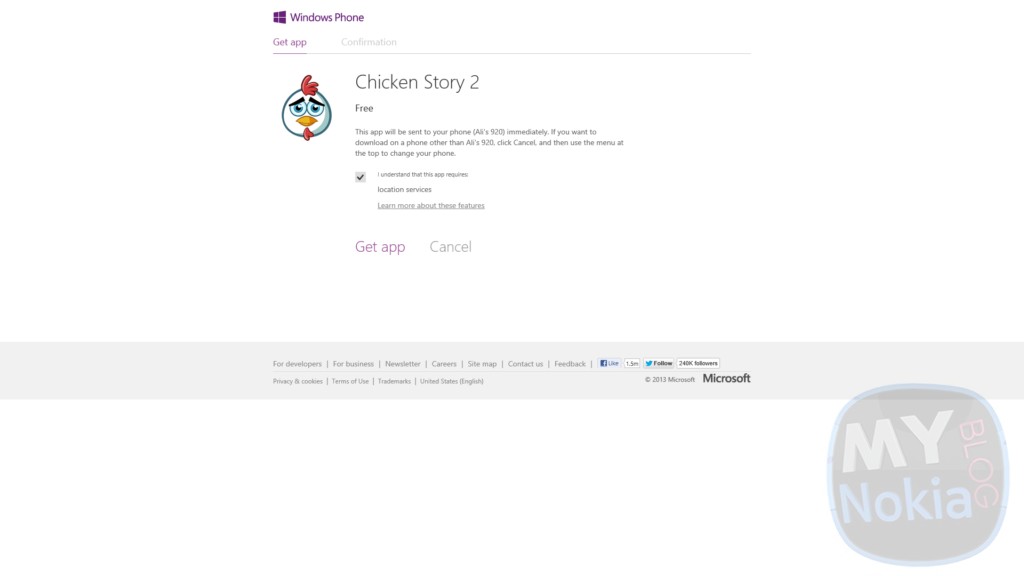 Here’s a cool feature I just discovered on my 920 (it’s possibly available for WP7.X devices as well); using WindowsPhone.com while signed in allows you to remotely install apps on your Windows Phone device without even unlocking the phone. Â This feature is great for the lazy ones of us (likes your truly) or when you discover a new app online and want to install it on your phone (it saves you the step of scanning/generating a QR code).
All you need to do is sign in at Windowsphone.com then head over to the Apps+Games section; from there you can browse all the apps in the marketplace and remotely install them onto your phone by hitting the big black install button

Then it will either install automatically or if the app requires special permissions it will ask for a confirmation first before carrying on.

After that it’ll take a few second to “contact phone” (all without you lifting a finger) and then the app will magically begin to install on your phone.

The coolest part about this is that it doesn’t require you to have the phone connected to your PC or even in the same room; pretty awesome if you ask me. So what are you waiting for? Get downloading (without getting up).
Category: Applications, Lumia, Nokia, Windows Phone

About the Author (Author Profile)
Hey, my name's Ali- Currently a fifth (and final) year Dental Student from Chicago; studying in Jordan. I love all sorts of gadgets almost as much as I love my cookies! Be sure to follow my Twitter handle @AliQudsi and Subcribe to my Youtube for the latest videos - no pressure. Thanks. Since my days as a avid Nokia blogger I've completed my studies and can be found doing Oral surgery realted stuff here!!Subscribe
If you enjoyed this article, subscribe to receive more just like it.


Connect
Connect with us on the following social media platforms.