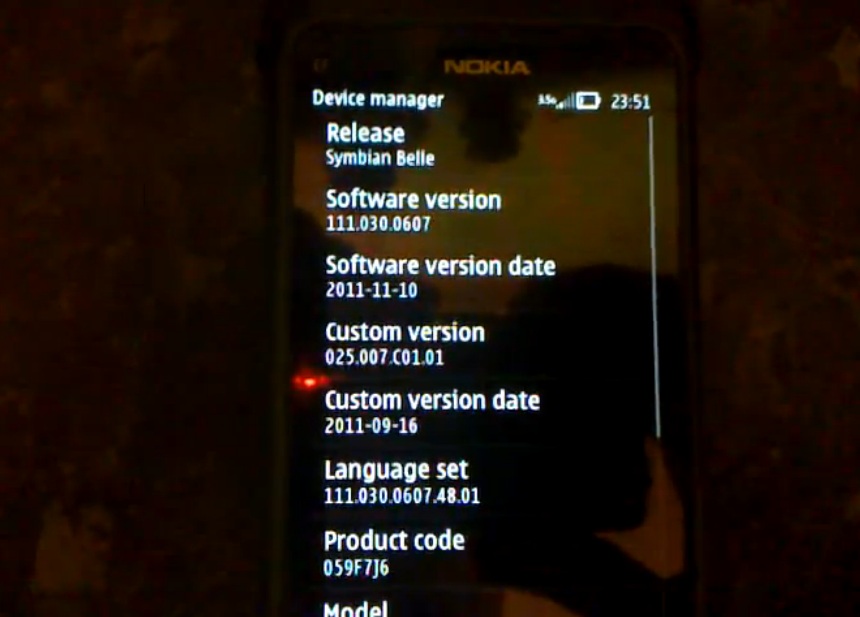
Video: Symbian Belle on Nokia E7 (v111.030.0607.48.01) and instructions for belle? (Updated with longer videos)

| December 17, 2011 | 31 Replies


In case anyone was interested, here’s what Symbian Belle looks like on the keyboard transforming Nokia E7, with firmware 111.030.0607.48.01.

You might also find this useful. Note, anything you carry out  you take at your own risk. This is not covered in warranty.

Videos by by 

Source: ipmart-forum

Thanks jak for the tip!

Update: Here are a couple more longer videos:

Category: Nokia, Symbian, Video

About the Author ()

Hey, thanks for reading my post. My name is Jay and I'm a medical student at the University of Manchester. When I can, I blog here at mynokiablog.com and tweet now and again @jaymontano. We also have a twitter and facebook accounts @mynokiablog and facebook.com/MyNokiaBlog. Contact us at tips(@)mynokiablog.com or email me directly on jay[at]mynokiablog.com

Comments (31)

Trackback URL | Comments RSS Feed

  1. deep space bar says:

    so when are you gonna flash your n8 lol you got a new one….if you are gonna flash it just remember to download the official original firmware first so you can fall back on a previous versio if you screwed up

  2. akmar says:

    and you need ROF3 from v25.007 china

  3. Bloob says:

    Too bad my 4-month-old E7 just died, maybe I’ll get it back by the time official Belle is released..

  4. domz says:

    the video just get’s on my nerve’s I just want belle on my n8 now.. damn you nokia! and the video is just too short..

  5. Sagar says:

    the video is quite short n it’s Not worth to try it on a E7!!! Will b waiting 4 d official Belle…

    • tabrez says:

      sagar why wait for official release…bro try it at your own risk…at first i thought the same,but after going through phoenix flashing tutorial videos i flashed my Nokia N8 and the result is sheer smoothness..i bought my N8 two months back and i don’t bother about losing my warranty…before flashing make sure that u install latest USB drivers and also don’t uninstall the OVI suite from your PC as the phoenix guide says to do so..make sure that you connect your phone at the back USB panel(if you have PC) and go ahead you’ll experience a new nokia E7 or any other symbian ^ 3 device….good luck bro

  6. Nagol says:

    Ooh la la!!

  7. vnese says:

    i did flash my e7 and love it, so far there is no problem.

  8. Paul Grenfell says:

    I was thinking of using my default rofs3 rather than the chinese version supplied. No problems with that?

  9. vnese says:

    not sure what no connection method is, i just used Phoenix and followed the instruction

  10. Paul Grenfell says:

    Ok all done and good..

  11. dakedk2 says:

    okay i somehow got this working but i got error when flashing the firmware. But the phone still able to boot and has the new belle. Is this fine?

    • Paul Grenfell says:

      Yes, same here.. no problems..

      • Sagar Sadbhaiya says:

        Paul apparently after flashing my E7.. it’s not recognizing my contacts!!! The contacts are on device but it doesn’t show any name while an incoming call is received..

        Any help would be appreciated!!

        • Seb says:

          Yeah same here did you ever get to the bottom of this, plus does anyone else find the web browser is so unstable, my flashing stopped half way through it never installed other programs like rom flasher etc just the os and basic apps could this be anything to do with it browser loads but is slow crashes etc, i also have problem with contacts

  12. jopancy says:

    I have a C7-00, where can I get a link to Symbian belle files for C7??? I am going a bit gaga for belle. Oh belleee…

  13. Abhishek says:

    Well Belle is nice. By the physical keyboard of my E7 the symbol keys don’t give the correct symbols.. I think its some different keyboard layout. Has anyone else faced this problem? If now please give me the link of that firmware…

Leave a Reply