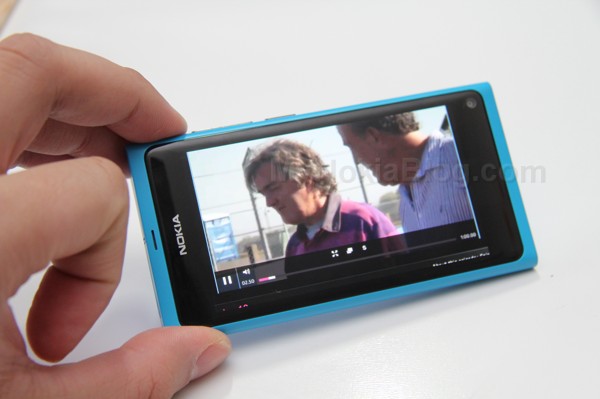
Rumours: Nokia N9 PR1.3 to bring a lot of surprises to the system, due before start of June.
Take this with a pinch of salt as it’s just a rumour. However, it’s not exactly far fetched.
It is mentioned that the Nokia N9 may get a new update before the end of June – PR1.3 with a lot of surprises to the system.
A Nokia official did previously hint this would appear soon after PR1.2, so an update is at least confirmed.
Back then it was called a ‘small but valuable’ update.
Source: bestmeego
Thanks Jiipee for the tip!
About the Author (Author Profile)
Hey, thanks for reading my post. My name is Jay and I'm a medical student at the University of Manchester. When I can, I blog here at mynokiablog.com and tweet now and again @jaymontano. We also have a twitter and facebook accounts @mynokiablog and Facebook.com/mynokiablog. Check out the tips, guides and rules for commenting >>click<< Contact us at tips(@)mynokiablog.com or email me directly on jay[at]mynokiablog.comComments (100)
Trackback URL | Comments RSS Feed
Sites That Link to this Post
- Nokia N9: PR 1.3 prima di giugno con molte novità | Rumor | April 29, 2012


My requested improvements:
1) Camera quality improvements
2) Video Codecs
3) Android/IOS App Compatibility Layer
4) Stability/ bug fixes
Anyone else having weird issues with the baseband (or whatever it’s called) crashing so that the phone is unable to place or receive calls while the cell tower bars are also ‘locked’ in whatever position on the N9? I wonder if it’s just my unit or someone else is experiencing this as well. Switching to airplane mode and back results in no bars and no signal until reboot.
Yeah, I have seen this issue. I do not reboot but goto the network settings and switch to 3G or GSM only and back to Dual mode. This issue has made me edgy as we’ll never know if are missing any calls.
Some reported issues appears ONLY if device is branded by operators. This mean they have adjusted firmware in not quite professional way, so this in fact cause problems, sometimes really strange. And the only common point is that device is branded.
The solution would be to update firmware to pure Nokia version. Note you can do it after guarantee period if you don’t want to lose you rights implying from purchase. Best would be to do it with Nokia Center. You can do it yourself, but you need to pay careful attention to numbers of update, from region to region they differs and need to be compatible with all previous upgrades. Perhaps from this implies problems with branding – operator’s staff does not care about it enough…
Note that when you would do it there will be trace remained at internal N9 updates counter, so you will not hide operations like these, so you will not be able to do it and reverse from backup without traces – important for guarantee purposes.
Pure Nokia firmware, unbranded, is the best, and works without such problems IMHO. This is not proved scientifically but also this is not a pure speculation.
Do you have branded device? by who?
Sometimes this is just the damaged device and should be replaced with a new one.
It happens with unbranded phones too.. Ive been thinking to switch to WP because of this reason.
And for others it works as it should.
I think that those who suffer from this have an faulty device.
I heard ppl talk about this problem and i tried many times to replicate it but i never could and neither can Nokia.
So either you device work perfectly or you have problems, so thats why i think it’s the device it self.
If you have this problem does it happen if it’s factory restored? (with nothing installed at all and nothing setup in the phone)
Maybe something that you did that triggered it and that isn’t debugged enough, like it happens after i added a third mail account.
Or it’s an firmware issue like the one that happened to Lumia 900.
I can’t replicate it, but i heard so many reports about it, so the problem is there in some units.
Jay can’t you blog about this and maybe ask Nokia about it, so we get there take on it also?
It’s an unbranded unlocked phone. I’ve tried factory restoring two times (including wiping the phone completely), but later restoring my user data from Nokia Link backup – shouldn’t be anything harmful in there I guess. No hacks installed and the only non-ovistore app is FileManager. I would return this to Nokia but they would test it and say it works fine because it doesn’t crash like that every day.
By the way, I can’t be 100% sure but I think this didn’t happen on 1.1.
Try 1.2 it is stable for me.
I have only few apps installed and I haven’t done any hacking or anything. Like BJ says, it’s really hard to debug because it happens so rarely and in different situations. In last month I’ve noticed it few times.
Last time I was going to be late from meeting and tried to call ppl that i need few more minutes. Of course when I tried to call it crashed. I was using navigator at same time and I had no other choice than boot phone. I’m also having difficulties to boot phone.. it’s just really hard to get back on. These issues combined the result was that I was lost and meeting started without knowing that I’ll be late. Small things can get quite pricy but I’m glad they understod when I told i’m having issues with my Nokia.
There is also app for reboot on Ovi store.
I’ve had my N9 for 6 months now, other than the re-boot after updating for PR1.2, I’ve restarted my N9 four times – two of those were following a flat battery! I’ve never suffered the problems you describe. The only issues I have are that some apps don’t seem to communicate with the world via WLAN, yet work fine when on GSM/3G, while others work fine.
I had the same issue with pr 1.0 and 1.1. After upgrade to pr 1.2 the problem is gone.
So perhaps solution is just to upgrade to PR1.2 It’s good to know
Someone interested in giving me your Nokia N9?????
If you are interested in giving me your $1000, I am interested in giving you my unicorn N9…
I think he wanted to check with those here who brag that their Lumia is better than “their” N9. Someone has mentioned here about their N9 “collecting dust”
I saw this anoncement at meego.com few weeks back, but they seem to wipe that string away…an after that update it will take tizzen os ower!?
@alboooz
What do you mean, I can’t understand your English.
Can you please explain again…
@alboooz
What do you mean?
I don’t understand your English.
Can you please explain again?
vpn,usb on the go,fm transmit
["vpn"]
*very unlikely
["USB-OTG"]
*not possible (the right connector isn’t used)
USB host-mode (which is just as good) may eventually be added by the community.
But progress has been very slow…
["FMTX"]
*not possible (no antennae/connection)
It may be possible to physically mod one’s phone so that the hw support’s complete.
Then the existing FMRX daemon (made by community) would have to be extended to support FMTX.