
Lumiappaday #197: Photosynth demoed on the Nokia Lumia 800
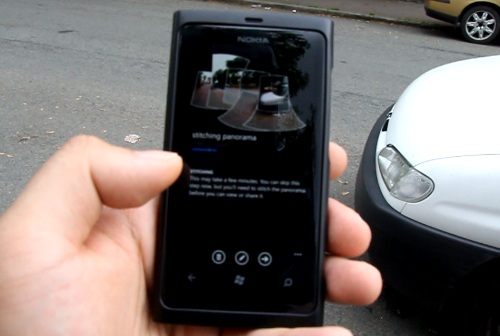 We’ve had a couple of posts from Ali today talking about this great little application called Photosynth by Microsoft. This allows you to create a panoramic photo. What’s different about it? Well you don’t just sweep in one direction – you can let Photosynth stitch any app together  either moving up, down, left, right, diagonally etc and it will produce an interactive panorama which you can pan around later. It’s pretty cool if you can manage to connect together a 360 photo as it loops back around.
Now this will work without a gyroscope (e.g. would work best on 900) but I demoed this on the 800 and it did a good enough job.
PhotoSynth (Awesome Panorama app) Now Available for WP (Gyroscope Preferred)
Video: PhotoSynth Panorama app for WP (Seriously Awesome App)
You can also check out some interactive panoramas from other people, as well as share your panoramas online by signing in.
#197) PhotosynthÂ
Price: Â FreeÂ
Link:Â http://www.windowsphone.com/en-US/apps/ef860a79-5f68-4ed6-aa21-c038d1a55517
Developer Blurb:
Photosynth for Windows Phone is the panorama app that makes it easy and fun to capture and share interactive panoramas of the places, people, and events that are important to you. Using the latest in computer vision techniques, Photosynth is the acknowledged leader in mobile panorama creation. It is the only app available on any mobile platform that allows you to capture 360 degrees horizontally and vertically, making a perfect “sphere.”
Once you’ve created a Photosynth, you can share it as an interactive panorama experience on Facebook and Twitter (using the free Photosynth.net service) or as a simple image. You can also publish your panoramas to Bing where millions of people will see your panoramas, on Bing Maps and in Bing search results for the places you’ve captured. And check out our featured list, where we show off the best of what you and your fellow users create and share.

Rating:
Design: 9
Usability: 10
Performance: 8
Price: 10
Category: Nokia

About the Author (Author Profile)
Hey, thanks for reading my post. My name is Jay and I'm a medical student at the University of Manchester. When I can, I blog here at mynokiablog.com and tweet now and again @jaymontano. We also have a twitter and facebook accounts @mynokiablog and  Facebook.com/mynokiablog. Check out the tips, guides and rules for commenting >>click<< Contact us at tips(@)mynokiablog.com or email me directly on jay[at]mynokiablog.comSubscribe
If you enjoyed this article, subscribe to receive more just like it.


Connect
Connect with us on the following social media platforms.