
WP8: Live Wallpaper, Bluetooth sending and NFC tap to share
More filling in gaps. So now we have drag and drop for those who prefer that kind of transfer. Some people might like cloud transfers/wifi transfers but for others, BT may be better for them.
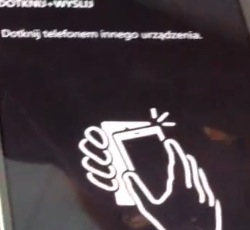
In the various send options we can see Bluetooth, and scrolling down, tap to send for NFC capable devices.
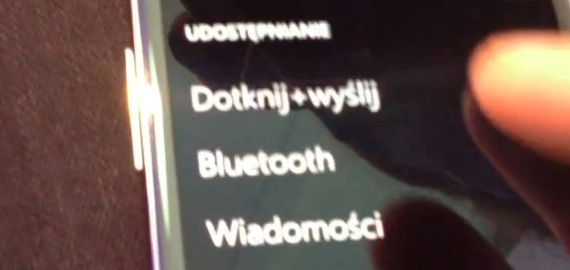
NFC tap share is something Nokia has been doing for a while since the C7.
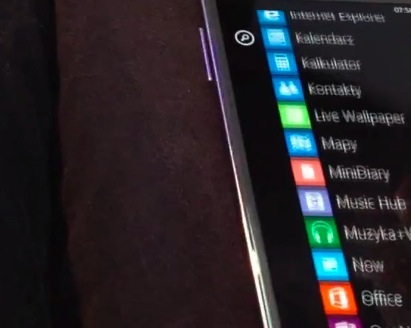
Lastly, eagle eyed Viipottaja noticed that the app list contained something called Live wallpaper. Is this ‘live’ in the way that tiles are active and are in motion or ‘live’ in the way that Microsoft names their products?
y 24logo24
via WMPU
About the Author (Author Profile)
Hey, thanks for reading my post. My name is Jay and I'm a medical student at the University of Manchester. When I can, I blog here at mynokiablog.com and tweet now and again @jaymontano. We also have a twitter and facebook accounts @mynokiablog and Facebook.com/mynokiablog. Check out the tips, guides and rules for commenting >>click<< Contact us at tips(@)mynokiablog.com or email me directly on jay[at]mynokiablog.comComments (14)
Trackback URL | Comments RSS Feed
Sites That Link to this Post
- Windows Phone 8 closes the gap on Symbian capabilities | The Mobile Fanatics | October 26, 2012


it would be cool if one can set live wallpaper as background on wp8.
it would be amazing live wallpaper concept for WP8 ?
Definately it has to bring asha touch ? Wish best wishes ?
It will reduce my hate for WP if the live wallpaper is something similar or better than android’s.
How wil you have live wallpaper if there is alot of tiles in the way? Except if its in the menu
In the lock screen. I do suspect this is either a Samsung exclusive or a third party app as otherwise one would think such a thing would be in settings rather than a separate app. But we’ll see soon enough!
This: http://nokiainnovation.com/exclusive-live-wallpaperlockscreen-on-wp8/
I think that under ‘Live Wallpaper’ they mean the stand-by screen. It might get features to represent arbitrary 3rd party app notifications on it, thus turning it into a ‘live’ wallpaper.
As for the BT/NFC+BT transfer, would it allow me to:
a) Send my whole music/video library, gallery, etc. to another (non-WP) device purely through BT?
b) Send an arbitrary file(s)/folder(s) from my device to another one?
If yes, finally something positive out of the WP world. If not, 2003. just called, it want its features back.
No, the notifications are under the lock screen setting already. This is something different, but like I said above most likely a 3rd party app or Sammy thing.
Regarding a) wow.. you really do that?
I don’t think an arbitrary 3rd party app can show ‘live’ notifications on the lock screen. Granted, haven’t played with WP in a long time, but to best of my knowledge such feature didn’t exist at least not pre-Tango. Of course, this can be Samsung’s proprietary doing as well…
As for a) – I actually did that once
But the point is not whether I’d transfer it whole, but whether I am allowed to. Even today my rsync setup is like:
- While at home, my computer connects automatically through WiFi+SSH to both my N900s and my N9, mounts them and runs a rsync through all of them keeping the same structure on all my devices.
- While on the move, if any of the devices gets a new file in the watch/sync folder list, it automatically searches for its brethren and transfers those files via BT (if they are not connected on a WiFi network) together with sync instructions. It’s actually quite cool thing, always having the same data and structure on multiple devices.
You may not need such a thing, but it has been a huge time saver for me as I have to often access scripts, logs and whatever on multiple devices and it’s quite nice to have them just-in-time whichever device I pick up. Not to mention that it increases my battery life as I have CRONs to update with my servers set on each device in different intervals, so only one of them goes online and fetches the needed data, then transfers it to the other(s) via more energy-efficient BT (it’s more efficient than WiFi as well, but in WiFi environments I sacrifice a little energy for more speed
) And, of course, it does wonders for my internet bills as we have no unlimited 3G internet around here.
I was referring to these notifications (you may/likely have something more elaborate in mind):
http://www.neowin.net/news/windows-phone-8-lock-screen-notifications-appear-on-lumia-920-marketing-shots
Wow, quite the set up you have there. From the sound of it might be that Jolla is your best (if not only) hope for your next device.
Nah, I thought of 3rd party apps being able to add content there. For example your favorite stock price watch app or whatever you’d like to have at a glance. And for example a portion of the ‘wallpaper’ might rotate/flip/whatever to show more data etc. without the need to unlock and scroll to the live tile to see it. Then again, it might be just as you assumed – just a Samsung’s touch.
As for the setup – if you told me 5 years ago that I’d be able to do all that I’d call you batshit crazy. Now I’m so used of my devices doing quite a bit of heavy lifting for me that I cry a little at a thought that I’d have to go back to the world where whenever I’m on the move I’d have to drag a laptop and open it up every half an hour or so and wait for it to synchronize with my servers just to see that there is nothing I have to do at that point. I can’t express how much my N900 and N9 have simplified my life, which is why it appears that I’m always bitching for some missing features in `mobile OS X` – I shudder at the thought that I might have to go back to what I was doing before I discovered the awesome power of well-connected mostly-open (Linux as a bonus) device which can fit in your pocket. Kind of like the old Yiddish curse `may you make a fortune, and lose it all`.
Of course I keep my eyes on Jolla as if they don’t succeed the only option where I could at least in theory build a similar setup is Android. And I’d really hate to be forced to move to that piece of bloatware.
they announced a while back that the lock screen wallpaper can be changed automatically with images from bing. and 3rd party apps have access to lock screen notifications but you can only select 5. frak knows why not more, and i hope there will be some kind of notification center in wp8 when they will show the final version and more themes.just black and white sucks.even if you can’t see a lot of the background on the tile homescreen, when you go into the menus different colors would be cool and even images
Looks like live wallpaper/lockscreen is a go.