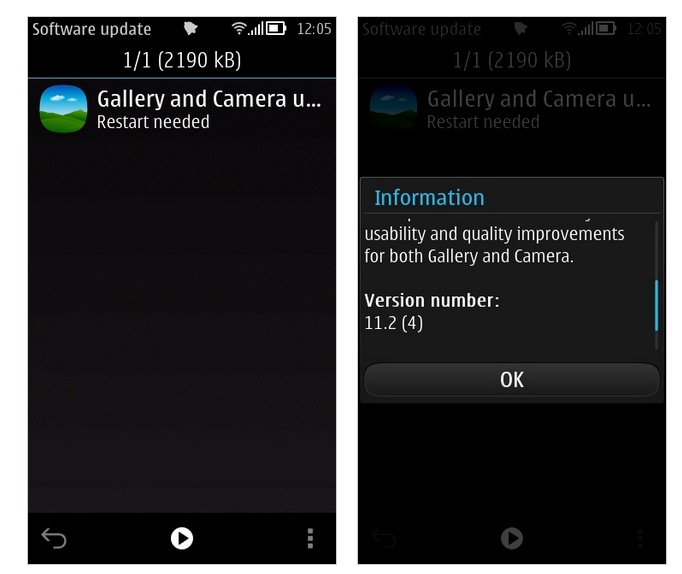
AAS: Gallery and Camera update hits the Nokia 808 and other Belle FP2 smartphones
Steve Litchfield reports that there’s a Gallery and Camera update available for the Nokia 808 PureView.
http://www.allaboutsymbian.com/flow/item/16967_Gallery_and_Camera_update_hits.php?
New features include:
- multi-select photos and share them to Facebook, Flickr or Twitter
- multi-select photos and email them en-masse to specific recipients
- long press a photo from the main gallery thumbnail view, to send, share or delete it
Steve’s asking if you can spot any camera improvements.


i don’t even get the latest firmware yet
(113.010.1508)
Exactly, either that thing was pulled from the servers or isn’t available in India yet. The 808 doesn’t detect even this update. Duh.
i suppose all them people are going to completely forget about this in t-1 second and start complaining about how nokia is ignoring symbian devices.
We have been waiting for a video editor that was promised and thought to be finished from before Belle FP2. I was hoping that this would be it, but instead it’s some tweaks that I’d never use or notice.
Seems like people ARE liking the update thou.
At least Belle FP2 users get something that wp7 users will never get (picture multiselect)… probably this feature is so complex and / or hardware dependent, that MS wasn’t able to implement it on the CE kernel or with that “weak” WP7.x hardware /s
Sorry but you are incorrect, both wp 7.8 and 8 let you multi select pics, you are referring to an old wp7.5 problem that was solved quietly long ago.
How do I multi select with wp7.8?
Regardless of his bitter antagonistic comments, hr is right this far.
If so, how? Wp7.8 never got this feature. Currently using wp7.8
No update for my 603 yet,I guess it takes a little time to come Turkey.
nt evn mine also
can someone confirm this, according to Tetlee (commenter in AAS) he/she says that with the update it is now possible to get really close in macro mode…
“I think I’ve discovered a camera improvement straight away, in standard Auto mode I’m now able to get really close to an object and focus. This shot was literally inches away and look how great it focused, I would have struggled to focus this close to an object even in Macro mode before.”
and this is the sample pic… http://s92.beta.photobucket.com/user/tetlee/media/2013-03-04-08891_zps10f69f91.jpg.html …
and also can you now able to send multiple pictures via bluetooth?… please someone confirm this, to those who already got their updates…
…
Updated mine, didn’t show on the device itself, but plugged in using Nokia Suite and it was there to download/install.
First improvement I noticed is you can now shoot really close range objects in standard Auto, here’s an example, would have struggled to get green focus in Macro mode this close before….
http://i92.photobucket.com/albums/l11/tetlee/2013-03-04-08891_zps10f69f91.jpg
I still don’t fully understand the update process. Obviously i have an unlocked Nokia 808 but i don’t seem to get the updates until a week or so after everybody else!
Its all about location. North Americans and Australia tend to be last in line. So don’t get your panties to bunched up.
I’m in neither of those locations.
great news, focusing in low light and close range has always been my main (or should I say, only) complaint! No OTA update for me yet, and Nokia Suite cannot connect to the update service at the moment, will try again later…
Quicker to update via Nokia Suite on the computer rather than wait for it to come to your phone
Keep the updates coming, to us, we loyal Nokia fans!!
New: In gallery share to web and share to email buttons. After selection possible to multiselect source. No noticicaple changes in camera. Still lacks video pause and close program buttons.
What device did you update? There’s a pause function when videoing on the 808. As for a close button doesn’t the end call button do that job?
Yes it does, but only in scenes or creative mode.. there is no pause in auto mode during video.
The end call button kills most applications, including the camera app.
So don’t use auto mode if you need pause in video
Not available on Suite as well…
Are you using Nokia Suite, or Nokia PC Suite? Two different versions
Here’s another use for the 808. Connect to computer and switch to mass storage mode. In windows, look at the mass memory drive letter under Computer, and select Ready Boost. This adds more memory to your own computer using the mass memory of the 808.
Someone also said that defragmenting the 808 was not necessary, but the other day it was behaving oddly and very slow. So I defragmented using Defraggler which also prompted me to delete some files off first. Much faster and smoother afterwards.
It took about 2 weeks to receive the Share update last month here in the USA, so I’m expecting the same kind of wait for this update. I’m just glad these updates are still coming. Holding out hope for a patch to finally fix the WiFi-dropping issue. And before you point me in the direction of the recent Beta Labs WLAN patch, I’ve got it and it doesn’t help. My home wifi switches to paused-3G on the 808, but will switch back to WiFi if I boot up Tweetian or Web etc. Shame it can’t remain on because I’m missing out on constant Tweetian updates on the phone while at home.
What kind of router are you using ? I have no issues with my Linksys wrt54g or my netgear n600
did you enabled power saving on WLAN? if you did then disable it and Wifi will always be on..
You can download and apply update manually. Check NokiaRevolution for the file. Improved macro, gallery update / sharing, multiple select and sent via BT or email. Great update.
thanks updated mine via the installers. Just wait for the gallery to update after reboot. It will take some time for your 808 to reconfigure the gallery and load the pics.
is the update available for nokia 603 or can i manual install please reply
we welcomed both the updates, specially the gallery’s multi selection option for delete & social uploads, while in camera, Its no more hanging after this update BUT we are still missing ‘how to exit’, can anyone help me where is ‘x’ or exit option in camera???
I’m using Nokia 701 (belle FP2)
you could press the end(Red) button key and the camera will exit