
How to: Back up Messages/Apps/Pics/Contacts, Hard Reset, and Restore process on Windows Phone 8 (Nokia Lumia 920) – Very nice :D (+Niggles)
As you might be aware, I had a little issue regarding my Nokia Lumia 920’s LED flash. The flash unfortunately does not work at all. Not with LED apps, not with the camera, nothing.
http://mynokiablog.com/2012/11/17/faulty-led-flash-on-my-nokia-lumia-920/
I tried several suggestions but in the end I’ve had to call up Phones4U and their technical lines who suggested I hard reset the device (heaven knows what the call cost is gonna be). Uh oh. So early on. (PS Props to Jackie at the Preston Store Phones4U for arranging a replacement since LED still does not work. They’re out of stock at the moment, more coming in Thursday perhaps)
Looking at the bright side, as I always try to, I experienced a really simple back up and restore process, all of which can technically be done from the phone.
There are some slight niggles which I’ll talk about later but nothing major (perhaps it’s just me unaware of what to do). But otherwise, another welcome addition (and very nice that it does not require a PC counterpart like Zune).
We will look at:
- Backup
- a) Backing up images and videos onto PC
- b) App List and Settings
- c) Text Messages
- d) Pictures and Videos
- e) email/contacts/calendar
- Reset
- Â Restore
- a) App List and Settings
- b) Text Messages
- c) Pictures and Videos
- d) email/contacts/calendar
1) Back Up:
This is quite simple and can be done on the phone whenever you want.

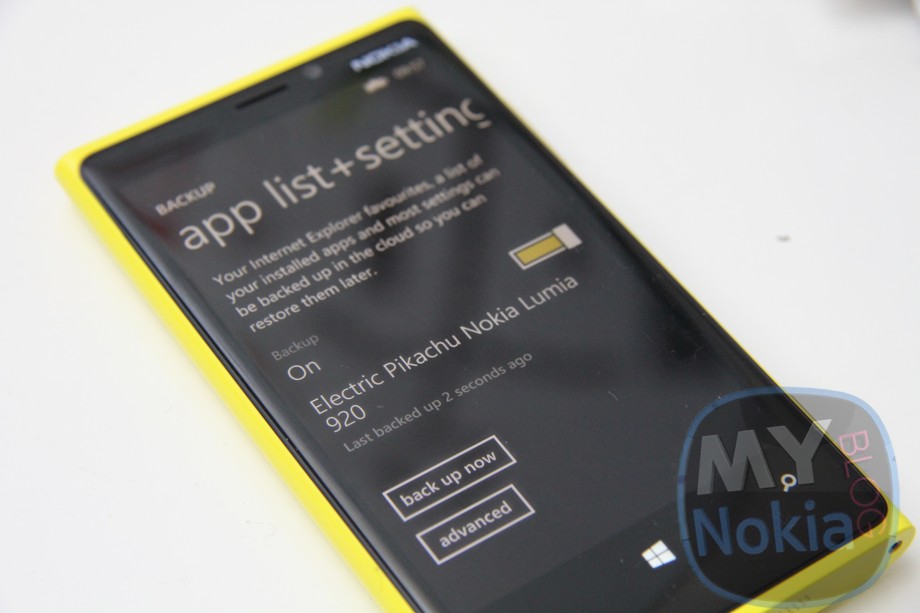
Go to Settings>Backup and you’ll be presented with below options to back up to the cloud.
Here you can back up from the phone:
- App list and settings, including all your email user accounts for contacts/pictures/calendars
- Text messages and MMS
- Photos and videos.

c) Text Messages Â
Messaging apparently can back up text messages as well as Facebook chat. There are even options for SMS/MMS delivery confirmation backups.
However, I cannot seem to find the option to back this up when you want.
d) Photos + Videos:
By default, my Nokia Lumia 920 (perhaps I accidentally clicked agree without knowing) uploaded pictures I’ve taken on my phone to SkyDrive. It was a nice piece of mind to know  I don’t even need to get back to my PC to see pictures I’ve taken in my SkyDrive folder.
By default, it says it may use Data plan for “Good Quality” whilst Best Quality “Needs WiFi”.
Videos on the other hand are not automatically uploaded. But you have identical options to automatically send over Mobile Data for “Good Quality” or “Best Quality” requiring WiFi.
For videos, I’ll actually set mine to WiFi so when I’m at home, that’s backed up. I’m not sure if the Wireless backup that WP7/7.5 had is available on WP8 (it used Zune, Zune/PC had to be on and when you charged your Lumia, it would automatically sync). This doesn’t require your PC to be on. Just a WiFi connection to send over to SkyDrive. Ideally, when your charging up your phone at night, it will upload larger files to SkyDrive for you.
Note, that since this might eat up battery life, you can conserve battery life by turning these options off. I might write a separate post on this. Battery life so far has been ok but I have only owned the phone for 2 days.
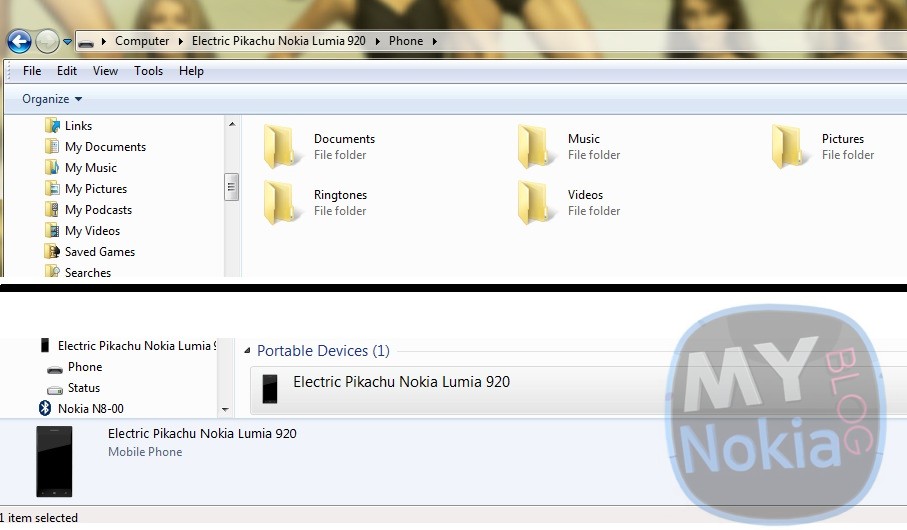
For peace of mind, I’ll back up by dragging and dropping as mentioned earlier.
e) Â Email, Calendar and Contacts
This is all connected to your Microsoft Account/Twitter/facebook/mails etc. You don’t need to do anything for this.
2) Hard Reset:
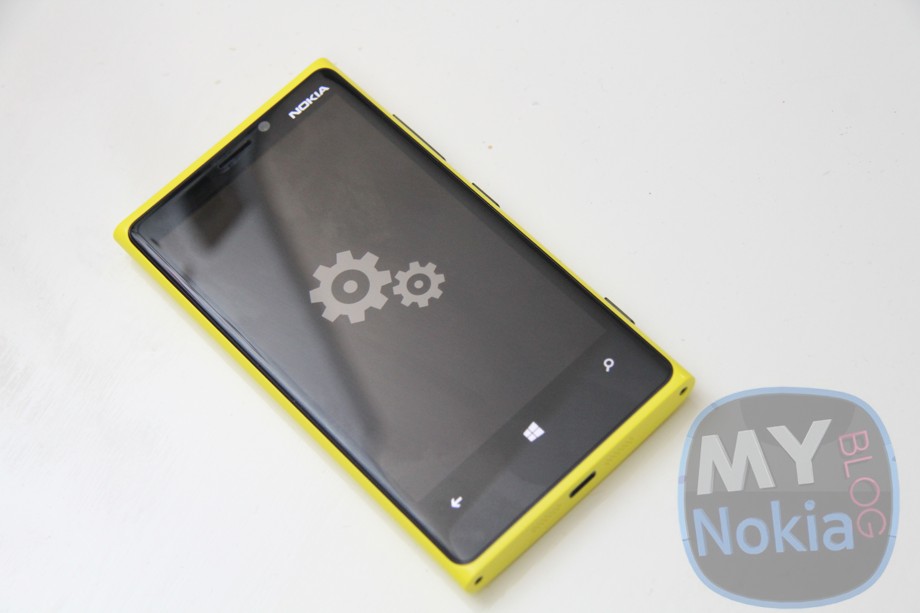
There are two options. You can hard reset from settings or use the finger combination (which I don’t recall so I’ll update this should someone else remember).
Note that Resetting your phone will delete EVERYTHING. Make sure you’ve backed up as detailed above any and all of the content you require and that your phone is sufficiently charged to prevent it dying in the process.
Now go to Settings, scroll all the way down to “About”. Scroll down further till you see  “Reset your phone”. Click yes, and yes again (follow the prompts to reset).
Your phone will begin the reset process which will take perhaps a few minutes. In this time, you’ll notice spinning cogs perhaps. A Nokia logo will appear for longer than usual and then the screen turns black. You’ll then get the blue WP8 start screen.
3) Restore:

Quite helpfully, you don’t need to go into settings to restore from a reset. It all happens just after you reset.
You’ll be asked whether you want to sign in to your microsoft account to sync/download your backup.
If your SIM has a data connection, you can choose to restore your App List and Settings straight away. You might be able to do this at another time once you’ve connected to WiFi (I haven’t checked this yet so feedback would be welcome). If you choose to restore your App list and settings from your mobile data, it tells you anyway that you can connect to WiFi first, which will then result in your Apps being downloaded.
a) App List
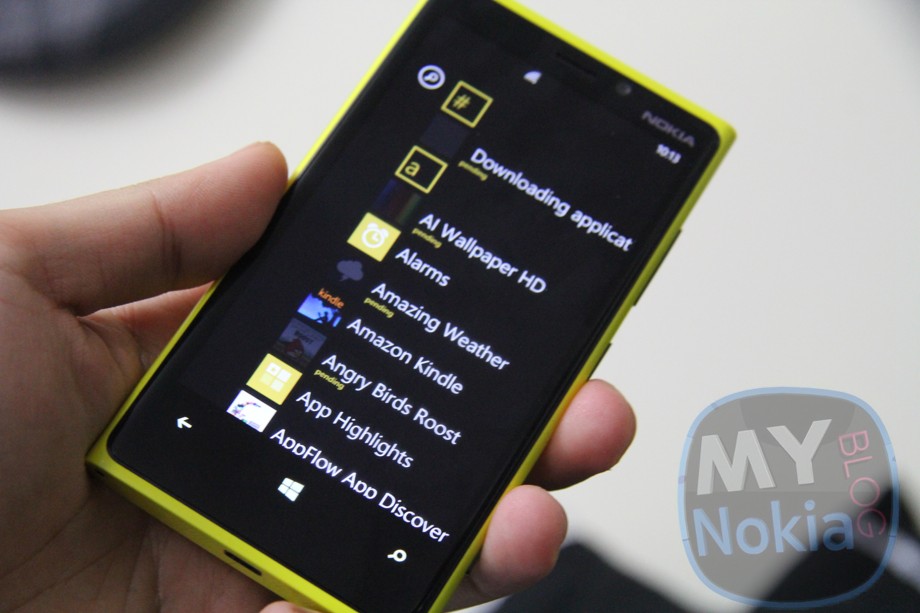
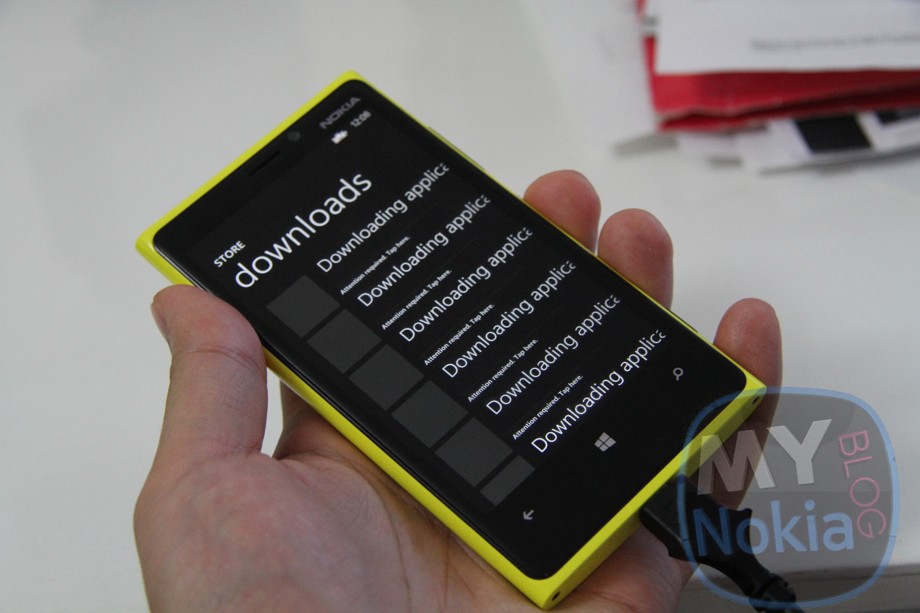
All the applications and games you’ve downloaded appear on the device. If you haven’t connected to the WiFi yet, you’ll just see a list of apps that require downloading. Once you connect to WiFi they all automatically download. You can alternatively click the download app list option at the very top should you want to use mobile data.
I think you can also choose to install apps individually by clicking download. You may also see some apps that require ‘further attention’ to download even after all other apps have successfully downloaded. Just go to the app list name or to the store app and downloads. I’ve actually noticed an error with this just now. See the niggles portion at the end. (update:Â I just noticed the store won’t connect to the internet. It has been intermittently happening for me and other users to MS might be doing something their end. Hopefully this is why it can’t find the apps to download.)
b) Text Messages
These appear, thankfully. I have messages from my 800 and 900 that have all been stuck on those devices. I sometimes find it nice to look back at some messages for previous info but this is not something I would ever do that often. Perhaps some people like Nostalgia too or just like having a full inbox. Whatever your need for backing up text messages, it’s done automatically.
My caveat, as you’ll notice in the “niggles” portion at the end of this post, is that I haven’t worked out how to back up my text messages when I want. I had some funny messages last night with a friend of mine, as well as details on meeting up this afternoon/activities and I’ve no idea precisely what I’ve told her as I’ve only got her messages from the afternoon. It would be nice to back up when you want (in addition to manual) At least once a day though is ok for the time being.
c) Pictures and Videos
If you backed up by SkyDrive, they’re all in your skydrive Camera Roll folder.
If you backed up onto PC, well just drag and drop those things back into the Camera Roll folder on your Nokia Lumia. They’ll correctly appear in the camera roll folder (unlike my previous experiences on Nokias where restoring pictures they ended up as downloads and not from camera).
d) Email, Calendar and Contacts
Before the phone even gets to the homescreen from reset start up, you’ll get the option to sign in to the other accounts you previously put on your Nokia Lumia (WP8). Â It already has the account email addresses/usernames, and requires only your password. Quite useful as another convenience in having to remember what accounts I put on.
Twitter is automatically available.
Facebook/mails need additional signing in.
If you skip this portion, just go to settings>accounts and they’re there for you to put your password in.
Once you’ve done this
I’m not sure precisely what other settings are saved. I know my lockscreen image was restored, but I didn’t change much of the other settings (like ringtones) to know if they’re retained.
> Oh, web settings are saved. But passwords not.
> Tile colour choice
Niggles:
- Ideally one step backup for everything on the PC/Cloud
- Ideally back up text messages when you want
- Restoring tile lay out (Helps to take a picture to remember what it looked like).
- Restoration of game processes not available. E.g. Angry Birds space, I’ve lost all my fluked first attempt 3 stars 😮 (Is this game made especially easy to be more addictive?)
Error in downloading some of the backed up apps. You don’t even get a name so I’m not sure whether these are actually apps. I’ll check later to see what went missing (I took some pictures prior of the app list and tile screen)ÂI just noticed the store won’t connect to the internet. It has been intermittently happening for me and other users to MS might be doing something their end. Hopefully this is why it can’t find the apps to download.- Kids corner options not remembered.

Hopefully some might find this information useful. If you have anything else to add (as our readers are absolutely amazing with their feedbacks and tips) feel free to chip in.
I will just do some errands and try to record a video so you see what goes on. Now that I know it’s a relatively painless experience, I’m less hesitant to backup/reset/restore. However, I am aware that there might be an issue regarding the phone bricking during a reset and thus requiring an exchange as the phone becomes unusable. Fingers crossed I am lucky the second time to show you guys on video.

About the Author (Author Profile)
Hey, thanks for reading my post. My name is Jay and I'm a medical student at the University of Manchester. When I can, I blog here at mynokiablog.com and tweet now and again @jaymontano. We also have a twitter and facebook accounts @mynokiablog and  Facebook.com/mynokiablog. Check out the tips, guides and rules for commenting >>click<< Contact us at tips(@)mynokiablog.com or email me directly on jay[at]mynokiablog.comSubscribe
If you enjoyed this article, subscribe to receive more just like it.


Connect
Connect with us on the following social media platforms.