Advertisements
Advertisements

Advertisements

Author Archive: Michael Faro-Tusino

Hi! My name is Michael. I currently live in Sydney, working on all things Digital Marketing. I have a real passion for the latest technology and I'm a real Nokia buff! My aim is to keep those of you, like myself, updated with the latest in what's going on in the Nokia World. Get in touch on Twitter via @MFaroTusino, or even simply drop me an email at mike.mnb[at]outlook.com or tips[at]mynokiablog.com

rss feed Google Plus Flickrr YouTube

N9Apps: MeeTor

N9Apps: MeeTor

| January 6, 2012 | 8 Replies

Advertisements Just noticed this today (although this post is scheduled until later in the week). MeeTor has appeared in the Nokia Store. It is the first BitTorrent client (that I am aware of) for the Nokia N9. It is something I miss, as I used SymTorrent on my 5800 XM/X6/N8. Unfortunately, it isn’t free, but […]
Read More

#N9Hacks: Live Clock Icon (App)

#N9Hacks: Live Clock Icon (App)

| January 6, 2012 | 9 Replies

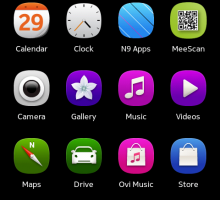
I am liking these Live Icon hacks that have been popping up for the N9. First was the calendar and now we have a Clock. (Read somewhere more are on the way.) The clock displays the time. If the screen is not locked, the icon will be refreshed every five minutes. Simply install the app, […]

Read More

N9Apps: Molome Now Available at Nokia Store

N9Apps: Molome Now Available at Nokia Store

| January 5, 2012 | 6 Replies

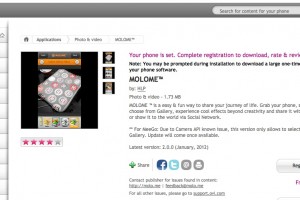
The favourite image editing app for Symbian users is finally on the Nokia N9. I won’t really go into any details, because well, most of us know what it is about. Here is what the developer says: MOLOME â„¢ is a easy & fun way to share your journey of life. Grab your phone, snap […]

Read More

#N9Hacks: Calendar Feed (App)

#N9Hacks: Calendar Feed (App)

| January 5, 2012 | 8 Replies

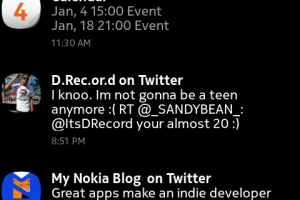
The Events screen on the N9 is very helpful in showing whats happening in your life, whether it be social updates, meetings and reminders for the day, or as an overview of notifications awaiting response. The sad thing is though, the Events screen only displays the calendar information for the current day. It is handy […]

Read More

N9Apps: MeeScan (QR Code Reader)

N9Apps: MeeScan (QR Code Reader)

| January 5, 2012 | 12 Replies

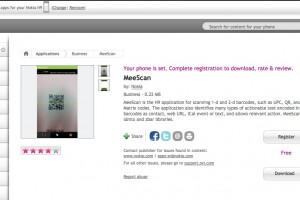
Something many N9 users have complained about is a lack of a QR Barcode reader. (Especially seeing as N9 posters feature them, which is a bit ironic.) A few weeks ago, I noticed that there is an app developed my Nokia called MeeScan. It works extremely well, with a simple UI. It is so effective […]

Read More

#N9Hacks: Theme Changer (App)

#N9Hacks: Theme Changer (App)

| January 4, 2012 | 7 Replies

This isn’t really that surprising, that we see Themes for the N9. There is an app, suitably called Theme Changer, that allows you to apply custom themes. It is not without its issues of course. The first major hurdle was emoticons. On theme change, the emoticon files get corrupted, but there is a simple enough […]

Read More

Apps For MeeGo Store Client

Apps For MeeGo Store Client

| January 4, 2012 | 17 Replies

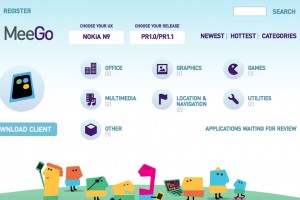
Was writing up a post about another N9Hack, and realised, I haven’t informed you guys about a new “app store” of sorts for the N9. It allows you to download community developed applications. (Similar to N9-Apps.com, but only community apps.) They even released a client for the N9, a while back, and in my opinion, […]

Read More

#N9Hacks: Dynamic Calendar Icon (App)

#N9Hacks: Dynamic Calendar Icon (App)

| January 3, 2012 | 11 Replies

We brought you news about a dynamic calendar icon demoed on the Nokia N9, a few weeks back. It is fitting, now that there is an easy install for it, that I am including it as part of my N9Hacks series. The calendar icon resembles that of iOS, changing to display the current date. At […]

Read More

#N9Hacks: Unlock Homescreen Orientation (App)

#N9Hacks: Unlock Homescreen Orientation (App)

| January 2, 2012 | 9 Replies

Like most community developed hack apps, they can be done using Terminal. Apps just make it easier for those not comfortable with modifying system files. App developer Vesuri has made and app known as “Home Screen Settings”, which simply adds to the settings menu. Once installed, navigate to Settings>Applications>Home Screen.   Not only can you […]

Read More